How to stop QuickBooks Online upgrade pop-ups
By the DeclutterMe team · Last checked October 31, 2026
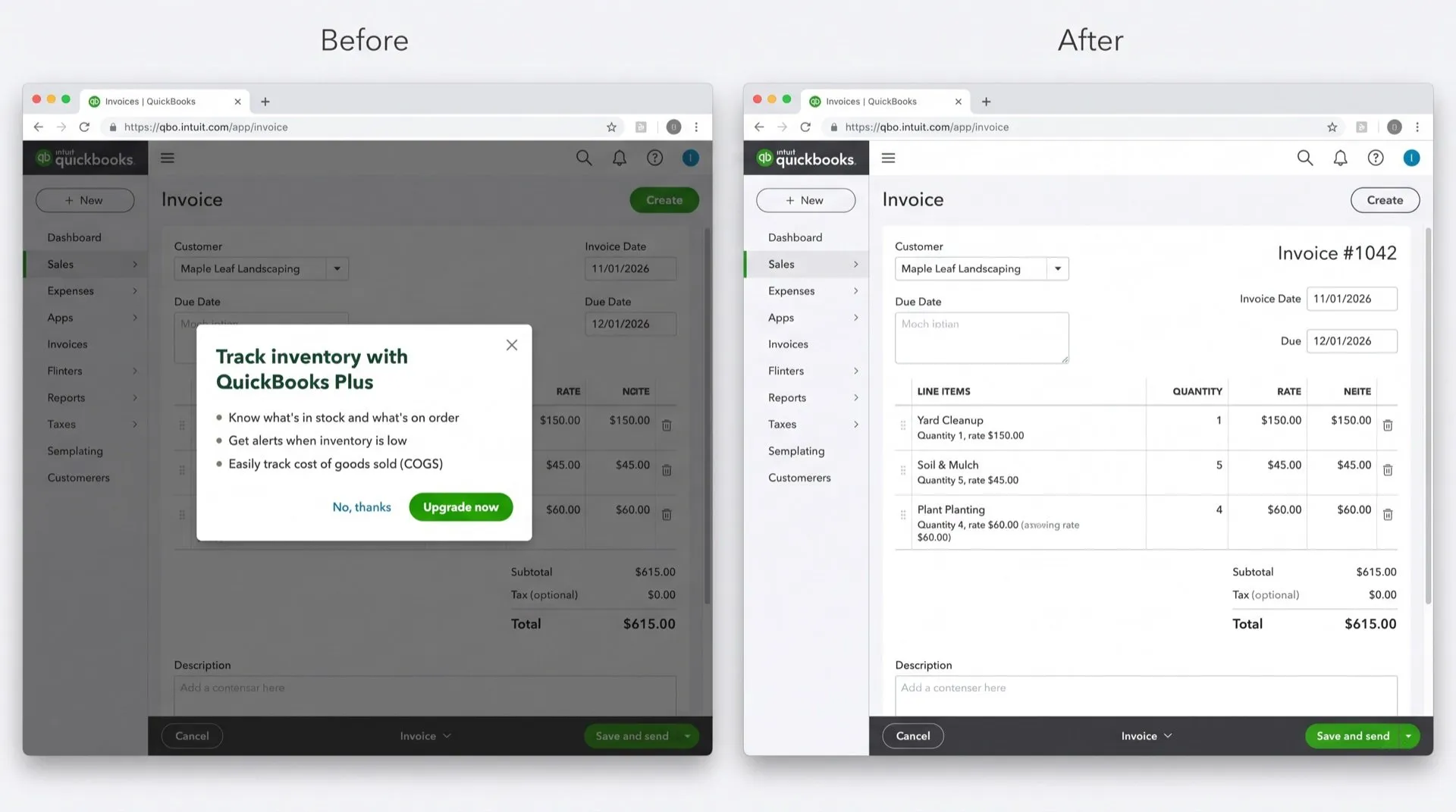
QuickBooks Online has no setting that turns off upgrade pop-ups. You can only close each one with the X or "No, thanks", and the same offers come back later. A browser extension that hides them is the only way to stop them for good.
You pay for QuickBooks Online every month, and it still interrupts you to sell you more. A bigger plan when you save an invoice. Payroll or Bill Pay in the corner of the screen. “Try for free” offers for expert bookkeeping.
Where the pop-ups come from
- Upgrade prompts when you open or save invoices and other forms, offering features from a higher plan.
- Corner pop-ups that slide in to sell Payments, Payroll and Bill Pay.
- QuickBooks Live nudges offering expert bookkeeping help.
- Footer bars that slide up from the bottom of the screen.
Can you turn them off in QuickBooks?
No. We found no setting that turns off QuickBooks Online’s in-product ads and promotional messages. You can only close each one, or send feedback through the gear icon.
Your browser’s pop-up blocker won’t help either. These offers are boxes drawn inside the QuickBooks page, not separate browser windows, so the blocker never sees them.
What closing them does
- Click the X or No, thanks on the pop-up.
- It stays closed for now.
- In practice, offers keep coming back, on the next invoice or the next time you sign in, and new ones appear as Intuit launches products.
You can also tell Intuit you’d like an off switch: click the gear icon, then Feedback.
Stop them for good
DeclutterMe closes the upgrade pop-ups on invoices and other forms, every time QuickBooks shows them. It also hides the corner pop-ups, the QuickBooks Live “Try for free” prompts and the footer promo bars. It never touches failed-payment warnings, tax deadlines or security alerts, so the messages you need still get through.
Switch it off for good with DeclutterMe
- Close "upgrade your plan" pop-upsCloses the upgrade pop-ups that appear when you open or save invoices and other forms.
- Hide bottom-corner upsell popupsRemoves the popups that slide into the corner of the screen to sell Bill Pay, Payments, Payroll and so on.
- Hide QuickBooks Live nudgesRemoves the "Try for free" expert-bookkeeping prompts scattered through the app.
- Hide footer ad barsRemoves the full-width promo bars that slide up from the bottom of the screen.
Free for 1 fix of your choice. Nothing you read or type leaves your browser.
DeclutterMe is our product. We're not affiliated with or endorsed by the companies behind these apps.
More QuickBooks Online guides
- How to make QuickBooks Online bank transaction search show exact matches only
- How to clean up the QuickBooks Online dashboard
- How to hide "Contact experts" and QuickBooks Live prompts in QuickBooks Online
- How to stop QuickBooks Online "How likely are you to recommend" surveys
- How to turn off Intuit Intelligence in QuickBooks Online