How to hide "Contact experts" and QuickBooks Live prompts in QuickBooks Online
By the DeclutterMe team · Last checked October 31, 2026
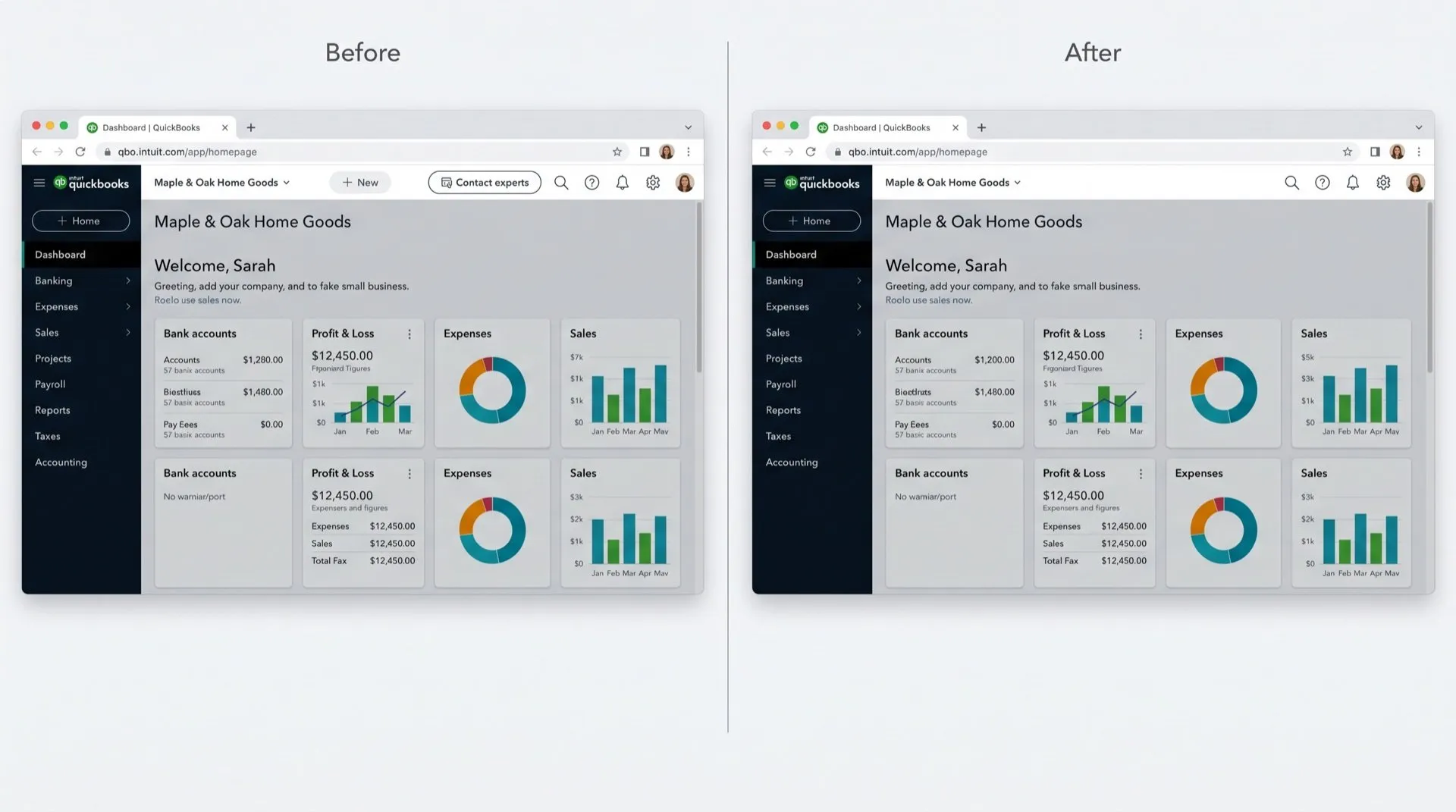
QuickBooks Online has no setting that hides the "Contact experts" button or the QuickBooks Live prompts. You can only close prompts one at a time. A browser extension is the only way to keep them off the screen.
QuickBooks Live is Intuit’s paid bookkeeping service. If you already do your own books, or have an accountant, the prompts to try it are noise. There’s a Contact experts button in the top bar, and “Try for free” offers that turn up across the app.
Where it shows up
- Contact experts, a sales button in the top bar on every page.
- QuickBooks Live nudges, banners and notes offering expert bookkeeping, often with a “Try for free” link.
- Live Experts, a page in the Accounting menu.
Can you turn it off in QuickBooks?
No. We found no setting, user role or admin option that hides these.
What you can do:
- Close each “Try for free” prompt with its X or No, thanks.
- Bookmark the pages you use most, such as Bank transactions, so you go straight there.
- Send feedback through the gear icon, then Feedback.
The Contact experts button has no close option, so it stays.
If you pay for QuickBooks Live and want to reach your bookkeeper, Intuit’s help article explains how. Hiding the sales prompts makes no difference to that.
Hide them with DeclutterMe
DeclutterMe removes the Contact experts sales button from the top bar and the “Try for free” expert-bookkeeping prompts scattered through the app. It never hides failed-payment warnings, tax deadlines, security alerts or outage notices.
Sources
We checked this guide against these pages on October 31, 2026.
Switch it off for good with DeclutterMe
- Hide "Contact experts" buttonRemoves the expert-help sales button from the top bar.
- Hide QuickBooks Live nudgesRemoves the "Try for free" expert-bookkeeping prompts scattered through the app.
Free for 1 fix of your choice. Nothing you read or type leaves your browser.
DeclutterMe is our product. We're not affiliated with or endorsed by the companies behind these apps.