How to stop QuickBooks Online "How likely are you to recommend" surveys
By the DeclutterMe team · Last checked October 31, 2026
QuickBooks Online has no setting that stops its recommend-us surveys. You can only close each one with the X or "No, thanks". The post-invoice survey setting only covers surveys sent to your customers, not the ones shown to you.
You’re halfway through a bank reconciliation and a box asks how likely you are to recommend QuickBooks to a friend. You close it. A few days later it asks again.
Where it shows up
The survey appears as a pop-up inside QuickBooks Online, usually on top of whatever page you’re working on. It asks for a score from 0 to 10 and sometimes a comment.
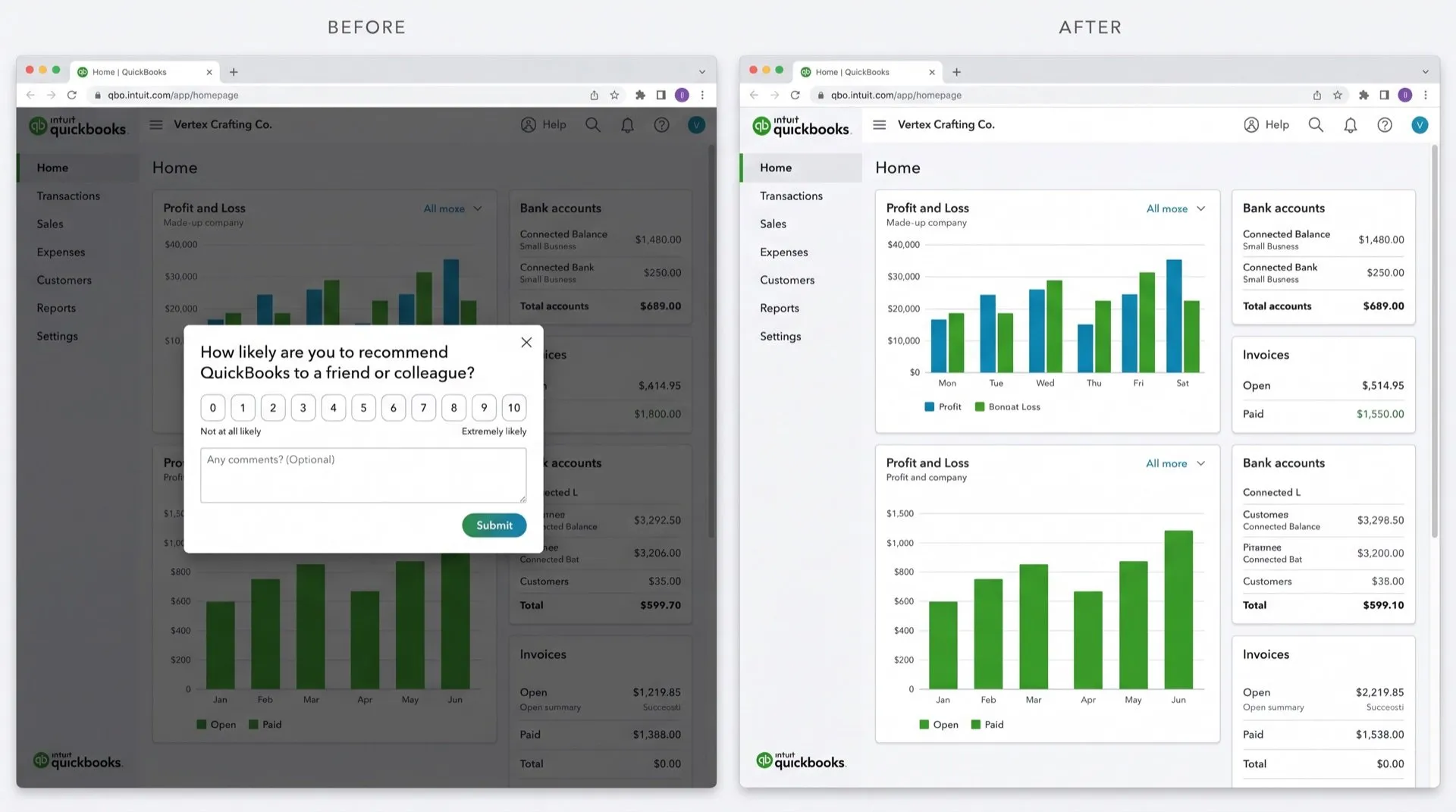
Can you turn it off in QuickBooks?
No. We found no setting that turns them off.
What you can do:
- Click the X or No, thanks on the survey.
- Answering it doesn’t stop it for good. It asks again later.
The browser pop-up blocker doesn’t help. The survey is a box inside the QuickBooks page, not a new browser window, so the blocker doesn’t see it.
The setting people confuse with this
QuickBooks has a post-invoice survey setting under Account and settings, then Sales. That controls the short survey your customers see after they view or pay an invoice. It doesn’t affect the surveys QuickBooks shows to you.
Stop them with DeclutterMe
DeclutterMe closes recommend-us surveys automatically as soon as they appear, so you can carry on working. It doesn’t change your post-invoice survey settings, and it never hides failed-payment warnings, tax deadlines, security alerts or outage notices.
Switch it off for good with DeclutterMe
- Dismiss "How likely…" surveysCloses recommend-us surveys automatically.
Free for 1 fix of your choice. Nothing you read or type leaves your browser.
DeclutterMe is our product. We're not affiliated with or endorsed by the companies behind these apps.
More QuickBooks Online guides
- How to make QuickBooks Online bank transaction search show exact matches only
- How to clean up the QuickBooks Online dashboard
- How to hide "Contact experts" and QuickBooks Live prompts in QuickBooks Online
- How to turn off Intuit Intelligence in QuickBooks Online
- How to stop QuickBooks Online upgrade pop-ups