How to make QuickBooks Online bank transaction search show exact matches only
By the DeclutterMe team · Last checked October 31, 2026
Partly. QuickBooks Online has a "Show exact results only" option when you search bank transactions. It isn't saved, so you have to tick it on every search. We found no setting that makes exact matching the default.
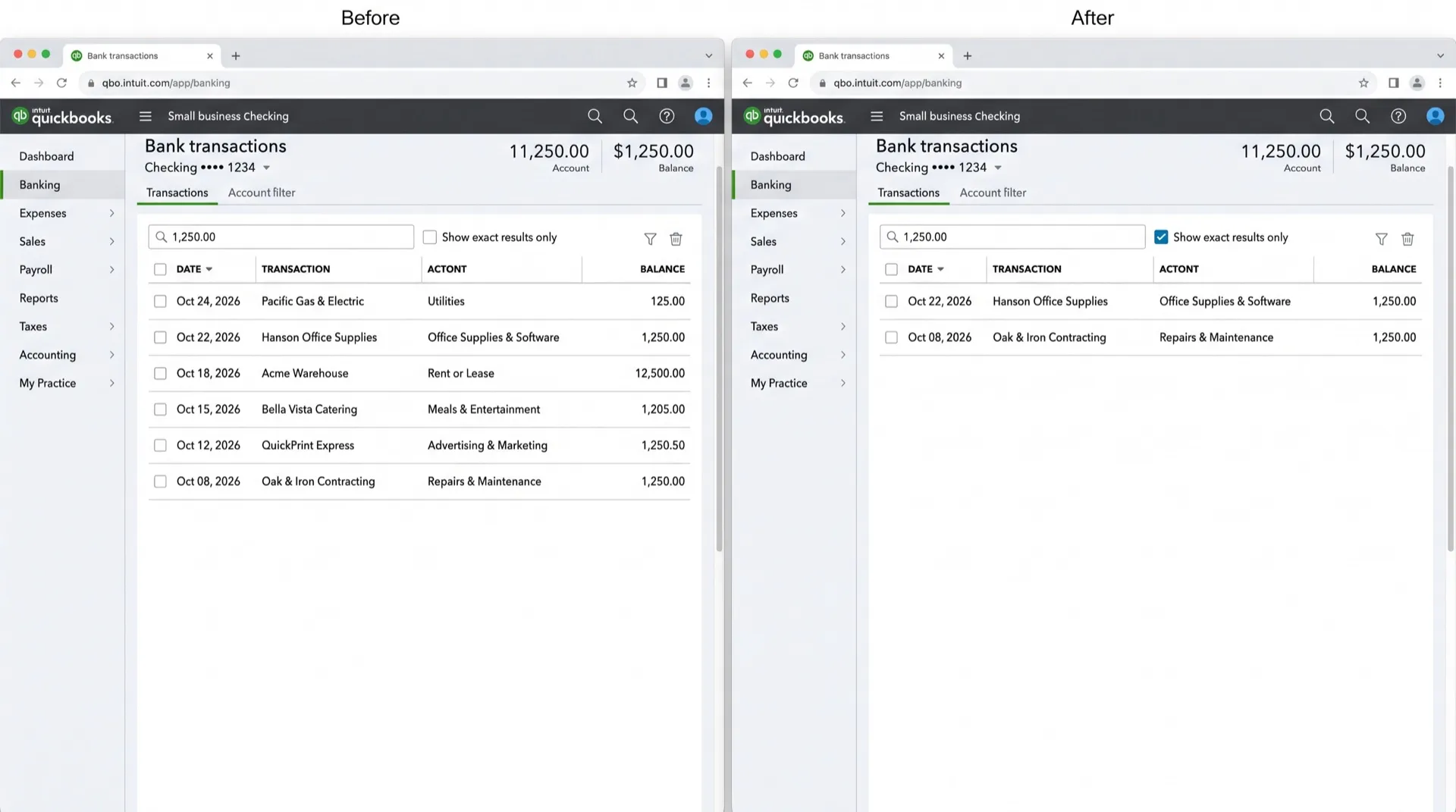
You search your bank transactions for 174.40 and get a list of everything that looks a bit like it. The one you want is in there somewhere. To see only the exact amount, you tick Show exact results only, and next time you search, it’s unticked again.
Where it shows up
On the Bank transactions page, when you type an amount, payee or description into the search box. The results include close matches as well as exact ones, until you tick Show exact results only.
Can you turn it off in QuickBooks?
Partly. The exact-match option is there, but it applies to one search at a time.
- Open Bank transactions. Depending on your menu layout it sits under Banking, Transactions or Accounting.
- Type the amount or text into the search box.
- Tick Show exact results only.
- Repeat step 3 on every new search.
We found no setting in Account and settings or on the Bank transactions page that makes exact matching the default. Intuit’s help articles on bank feeds cover matching and categorising, not search options.
To find a transaction anywhere in your books, not just the bank feed, try the global search with Amount and Equals.
Make it stick with DeclutterMe
DeclutterMe ticks Show exact results only for you whenever you search bank transactions. It doesn’t change your results in any other way, and you can still untick it when you want the broader list.
Sources
We checked this guide against these pages on October 31, 2026.
Switch it off for good with DeclutterMe
- Always "Show exact results only" in bank transactionsTicks the exact-match option for you when you search bank transactions. You can still untick it.
Free for 1 fix of your choice. Nothing you read or type leaves your browser.
DeclutterMe is our product. We're not affiliated with or endorsed by the companies behind these apps.