How to turn off autoplay on YouTube
By the DeclutterMe team · Last checked October 31, 2026
Yes. YouTube has an Autoplay switch at the bottom of the video player, and turning it off stops the next video starting on its own. It's saved per device and browser, so it can come back on a new browser or after clearing cookies. An extension can switch it off on every video.
You watch one video for work, look away, and YouTube has started another. Autoplay picks the next video for you and starts it a few seconds after the last one ends.
Turn off autoplay in YouTube
YouTube has a built-in switch, and it works.
- Open any video on youtube.com.
- At the bottom of the video player, find the Autoplay switch.
- Click it to turn it off.
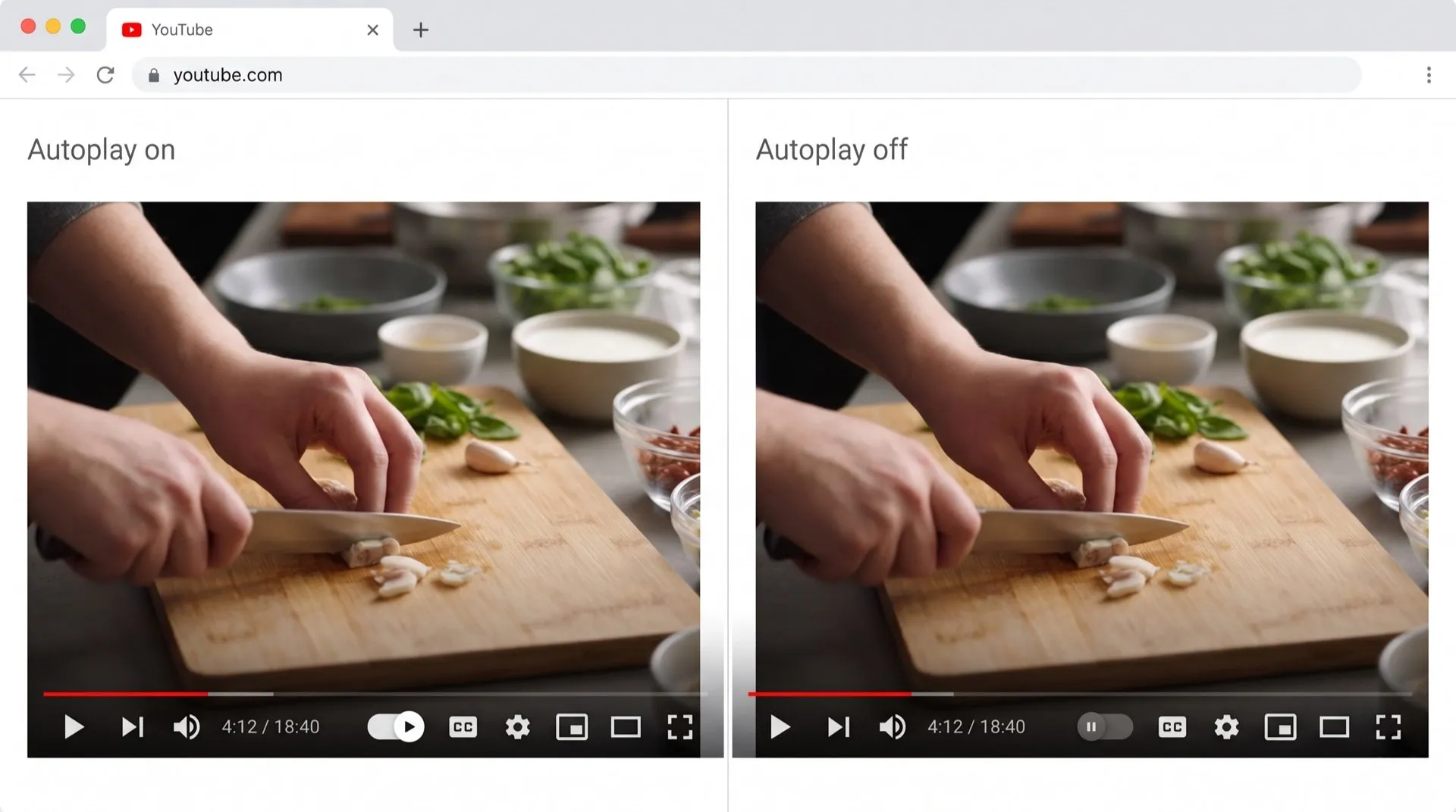
Its limits
- It’s saved per device. YouTube’s help page says you can have different Autoplay settings on different devices. Your phone, TV and each browser keep their own choice.
- It can switch back on. The choice is stored in your browser, so a new browser, a private window, or clearing cookies can bring autoplay back.
- Home page previews are a separate setting. Videos that start playing when you hover over them on the Home page are controlled by Inline playback. To turn that off, open your profile picture menu, then Settings > Playback and performance, and switch off Inline playback.
- Some accounts can’t change it. Autoplay is off by default for users aged 13 to 17, and a parent may lock it on a supervised account.
Keep it off everywhere
If the switch keeps turning itself back on, DeclutterMe switches off autoplay on every video you open on youtube.com. One video doesn’t turn into ten. It doesn’t change Inline playback on the Home page; use YouTube’s setting above for that.
Sources
We checked this guide against these pages on October 31, 2026.
Switch it off for good with DeclutterMe
- Turn off autoplaySwitches off autoplay on every video so one video doesn't turn into ten.
Free for 1 fix of your choice. Nothing you read or type leaves your browser.
DeclutterMe is our product. We're not affiliated with or endorsed by the companies behind these apps.