How to stop "Video paused. Continue watching?" on YouTube
By the DeclutterMe team · Last checked October 31, 2026
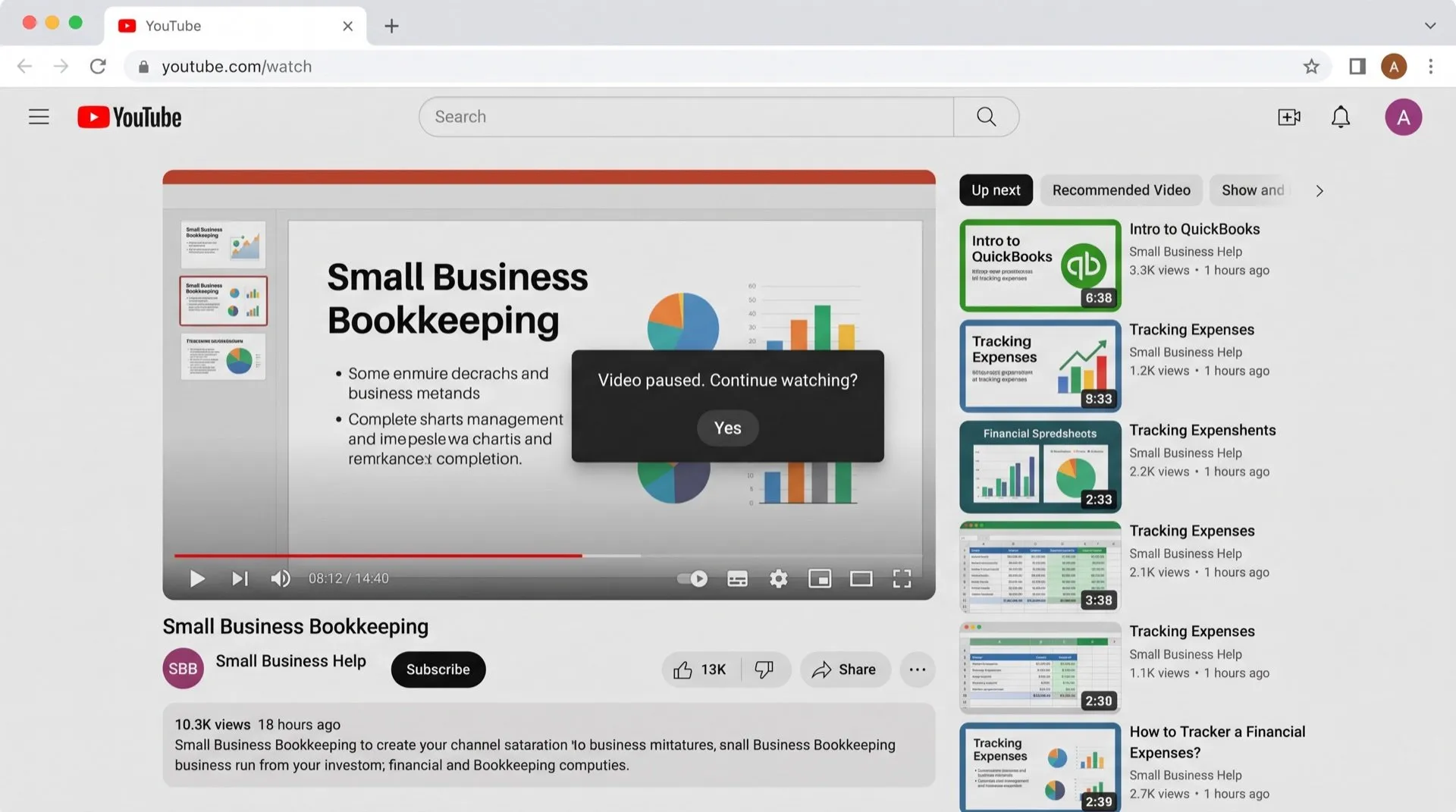
No. YouTube has no setting that turns off the "Video paused. Continue watching?" prompt. It appears after a long stretch of watching, and you have to click "Yes" to carry on. An extension can answer it for you.
You put on a long talk, a training course or a music playlist while you work, and twenty minutes later it has stopped. On screen is a box: Video paused. Continue watching?
Why YouTube asks
YouTube says the prompt protects your watch history and helps you avoid using data when nobody is watching. According to its help page, it appears when you’ve been watching with Autoplay on without a break. That’s after 60 minutes on the web, 30 minutes on mobile or 180 minutes on TV.
Can you turn it off in YouTube?
No. There’s no setting for the prompt. When it appears:
- Click Yes.
- The video carries on from where it paused.
- After another long stretch, it asks again.
Keep it playing
DeclutterMe answers “Video paused. Continue watching?” for you, so long videos and playlists keep playing. It only responds to that one prompt.
Sources
We checked this guide against these pages on October 31, 2026.
Switch it off for good with DeclutterMe
- Skip "Continue watching?"Answers "Video paused. Continue watching?" for you, so long videos and playlists keep playing.
Free for 1 fix of your choice. Nothing you read or type leaves your browser.
DeclutterMe is our product. We're not affiliated with or endorsed by the companies behind these apps.