How to hide YouTube Premium pop-ups
By the DeclutterMe team · Last checked October 31, 2026
No. We found no setting that turns off YouTube's "Try YouTube Premium" pop-ups and banners. Its guide to notification settings mentions no option for promotions either. You can close each one as it appears. An extension can hide them for you.
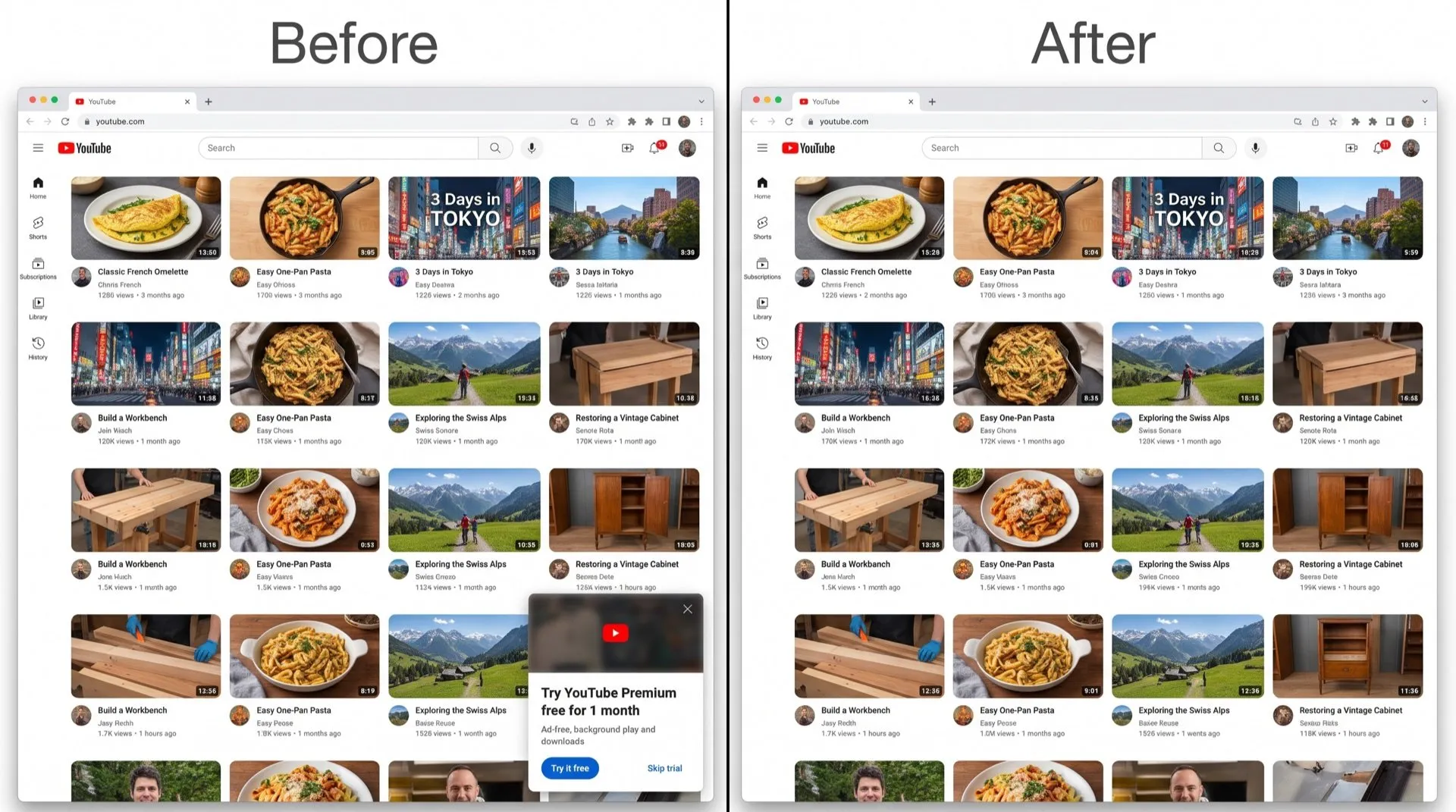
You open YouTube and a box in the corner offers a free trial of YouTube Premium. Close it, and a banner on the Home page makes a similar offer later.
Where they show up
- Pop-ups in the corner of the page offering a Premium trial.
- Banners at the top of the Home page promoting Premium and other YouTube offers.
Can you turn them off in YouTube?
No. We found no setting for YouTube’s own promotions. Its guide to Settings > Notifications doesn’t mention an option for Premium offers either.
What closing them does:
- Click the close button or the dismiss option on the pop-up or banner.
- It goes away for now.
- The same or a similar offer can appear again on a later visit.
Hide them for good
DeclutterMe removes “Try YouTube Premium” banners and pop-ups from youtube.com. It doesn’t block ads in videos, and it doesn’t change your account or subscription.
Sources
We checked this guide against these pages on October 31, 2026.
Switch it off for good with DeclutterMe
- Hide Premium popupsRemoves "Try YouTube Premium" banners and popups.
Free for 1 fix of your choice. Nothing you read or type leaves your browser.
DeclutterMe is our product. We're not affiliated with or endorsed by the companies behind these apps.