How to hide Shorts on YouTube
By the DeclutterMe team · Last checked October 31, 2026
No. YouTube has no setting that turns off Shorts. The "Show fewer Shorts" option temporarily reduces them on your Home feed, but they still appear in search and the menu. An extension can hide Shorts shelves, Shorts in search results and the Shorts link.
You open YouTube to watch something specific and the page is full of Shorts. There’s a row of them on the Home page, more in your search results, and a Shorts link in the menu. If you came for long videos, it’s easy to lose twenty minutes scrolling.
Where Shorts show up
- Shelves of Shorts on the Home page and below videos.
- Shorts in search results, mixed in with regular videos.
- The Shorts link in the left-hand menu.
Can you turn Shorts off in YouTube?
No. There’s no setting to turn Shorts off. YouTube offers a way to see fewer of them on your Home feed:
- Scroll your Home feed to a row of Shorts.
- Click or tap More (⋮) at the top of the row.
- Choose Show fewer Shorts.
YouTube describes this as temporary: it shows you fewer Shorts in your Home feed for a while, then they return. YouTube’s help page lists the steps for the YouTube app, and the option may not appear in every browser. It doesn’t touch Shorts in search results or the Shorts link in the menu.
To undo it, go to My Activity at myactivity.google.com, open Other activity, and delete the Show fewer Shorts entry.
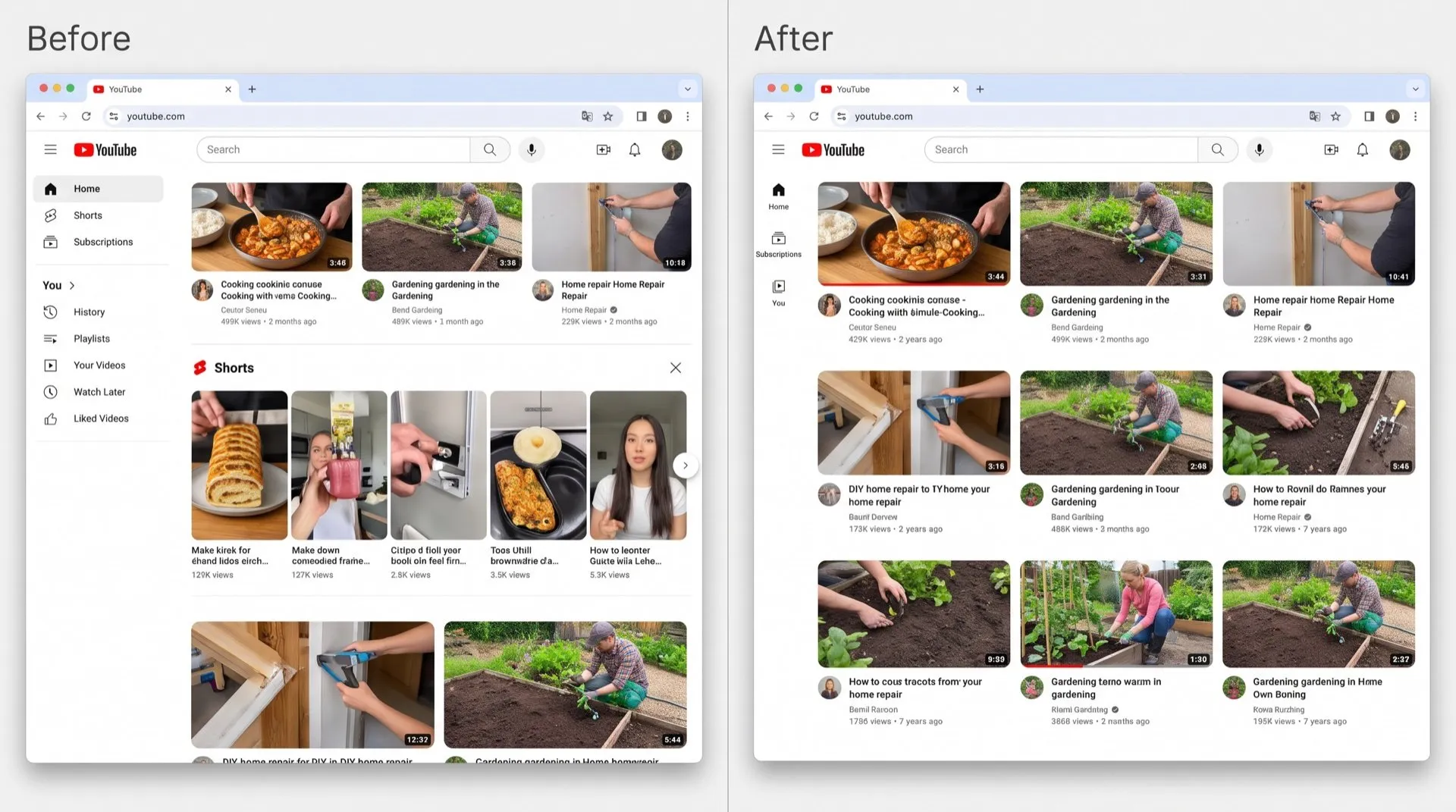
Hide Shorts on youtube.com
DeclutterMe removes Shorts shelves, Shorts in search results and the Shorts menu link from YouTube in your browser. You can still open a Short directly if someone sends you a link.
Sources
We checked this guide against these pages on October 31, 2026.
Switch it off for good with DeclutterMe
- Hide ShortsRemoves Shorts shelves, Shorts in search results and the Shorts menu link.
Free for 1 fix of your choice. Nothing you read or type leaves your browser.
DeclutterMe is our product. We're not affiliated with or endorsed by the companies behind these apps.