How to hide end screen cards on YouTube
By the DeclutterMe team · Last checked October 31, 2026
Partly. Since September 2025 YouTube has a "Hide" button that removes end screens. It only works for the video you're watching, and it can't be set as the default. An extension can hide them on every video.
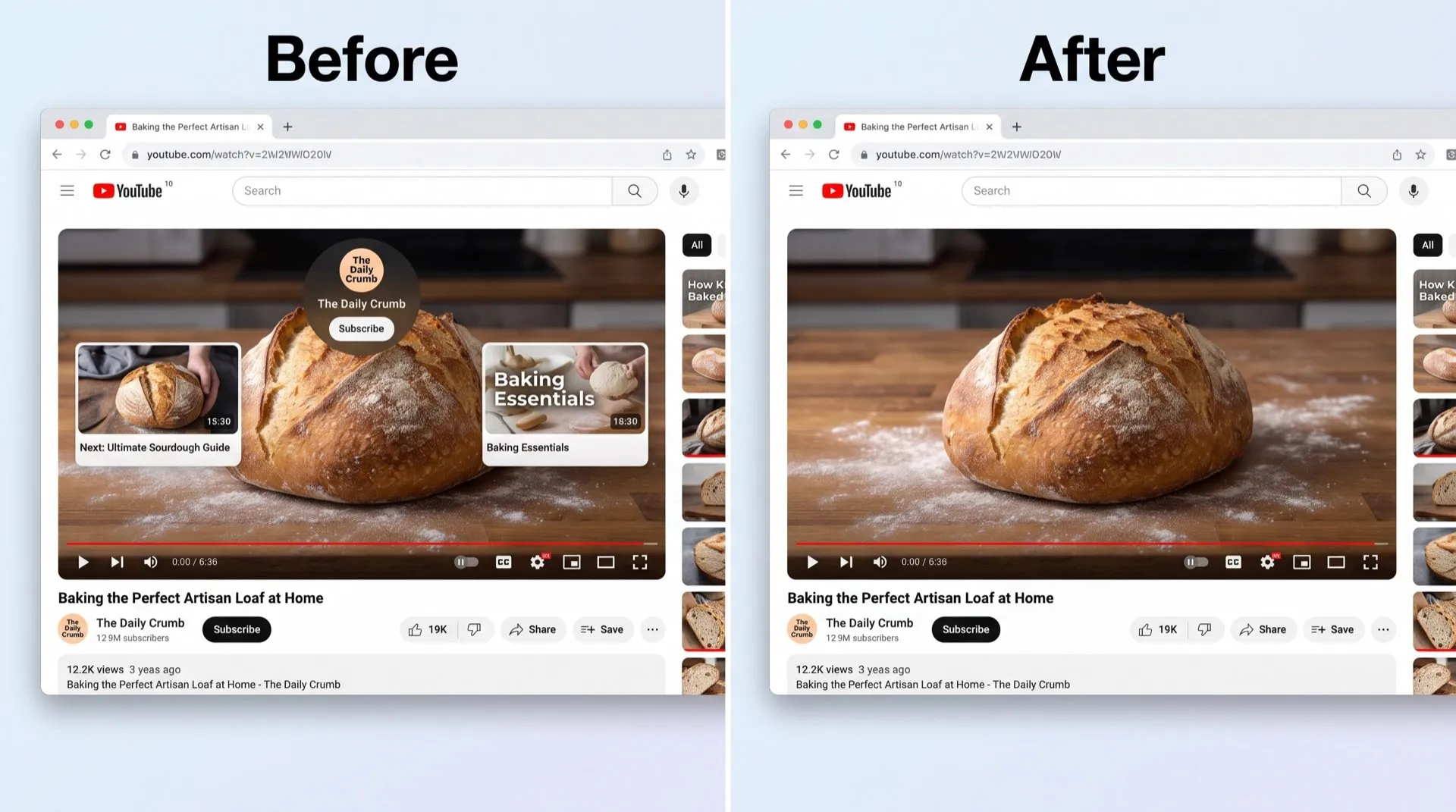
The last 20 seconds of many YouTube videos are covered with thumbnails: other videos, a playlist, a subscribe button. They sit on top of the closing slide, the final demo, or the code you were trying to read.
Where they come from
These are end screens. Creators add them to point you to more of their videos, and they appear over the last seconds of a video. They’re part of the video’s design, not ads.
Can you turn them off in YouTube?
Partly. In September 2025 YouTube added a Hide button for viewers:
- When the end screen appears, look at the top right corner of the video player.
- Click Hide.
- The end screen disappears for this video. Click Show to bring it back.
The limits:
- It only applies to the video you’re watching. The next video shows its end screen again.
- There’s no setting to make it the default.
YouTube reported that, in its tests, letting viewers hide end screens reduced end screen views by less than 1.5 percent.
Hide them on every video
DeclutterMe removes the video thumbnails that cover the last seconds of a video, on every video, without a click. The video itself, its description and YouTube’s suggestions beside the player are unchanged.
Sources
We checked this guide against these pages on October 31, 2026.
Switch it off for good with DeclutterMe
- Hide end-screen cardsRemoves the video thumbnails that cover the last seconds of a video.
Free for 1 fix of your choice. Nothing you read or type leaves your browser.
DeclutterMe is our product. We're not affiliated with or endorsed by the companies behind these apps.