How to stop pop-ups and feedback surveys in Xero
By the DeclutterMe team · Last checked October 31, 2026
Xero has no setting that stops its promotional pop-ups or feedback surveys. You can close each one, but they come back.
You’re entering an invoice and a box slides into the corner of the screen to tell you about a new feature. Later, another one asks how likely you are to recommend Xero. Neither is about the work in front of you.
Where it shows up
- Corner pop-ups, promotional messages that slide into the bottom corner of the screen.
- Feedback surveys, recommend-us questions that ask you to rate Xero.
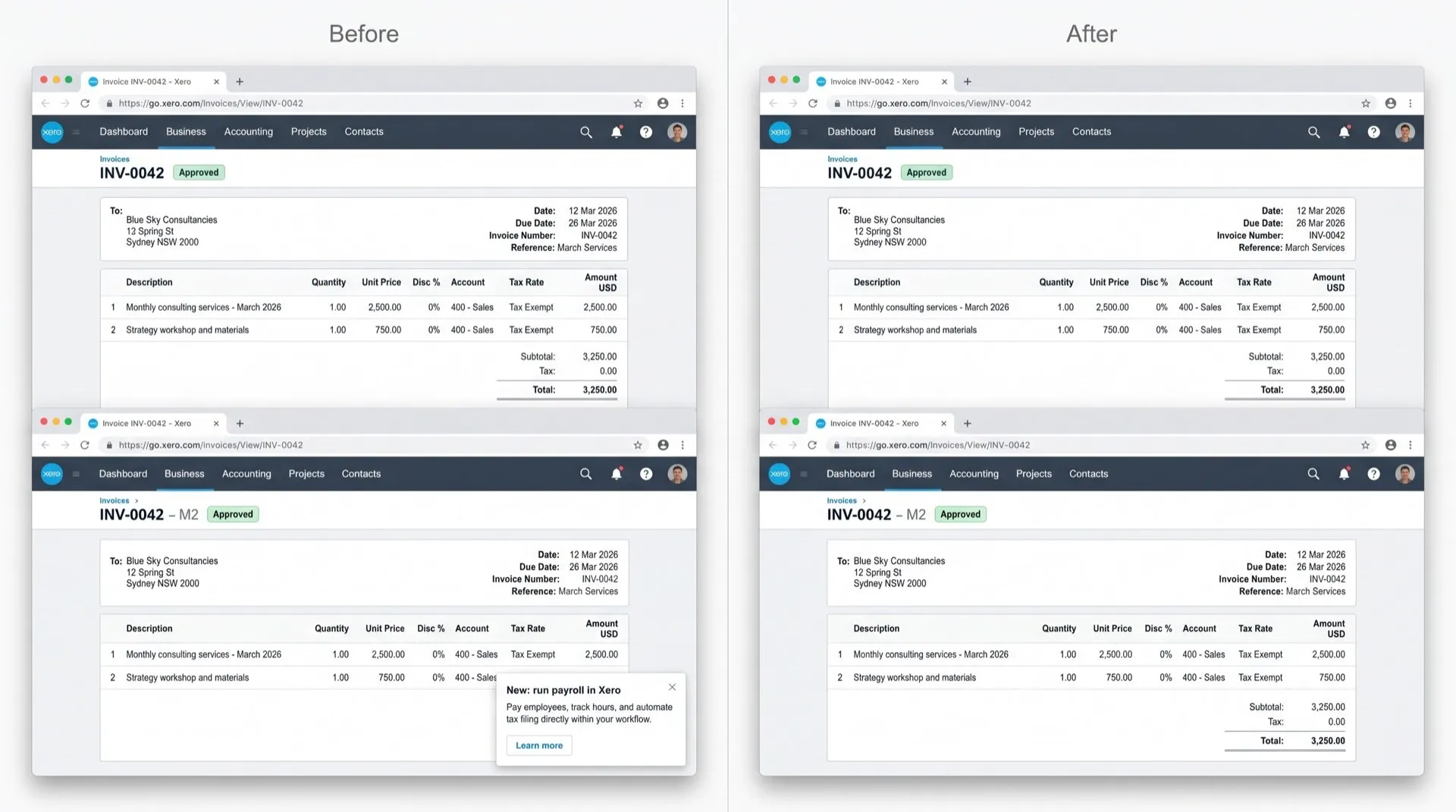
Can you turn it off in Xero?
No. We found no setting, user role or admin option for either.
Xero has also explained why it uses in-product messages to ask for feedback during staggered releases. There’s no other way to leave feedback inside Xero. That’s why surveys turn up while you work.
What you can do:
- Close each pop-up or survey with its close button.
Stop them with DeclutterMe
DeclutterMe removes promotional pop-ups that slide into the corner of the screen and closes recommend-us surveys automatically. It never hides failed-payment warnings, tax deadlines, security alerts or outage notices. Anything about your account, your bank feeds or Xero’s service still reaches you.
Switch it off for good with DeclutterMe
- Hide bottom-corner popupsRemoves promotional popups that slide into the corner of the screen.
- Dismiss feedback surveysCloses recommend-us surveys automatically.
Free for 1 fix of your choice. Nothing you read or type leaves your browser.
DeclutterMe is our product. We're not affiliated with or endorsed by the companies behind these apps.