How to hide upgrade prompts and app recommendations in Xero
By the DeclutterMe team · Last checked October 31, 2026
Xero has no setting that turns off its upgrade prompts or app promotions. You can hide and reorder homepage widgets, but that doesn't cover promotions.
Xero suggests a bigger plan and promotes App Store add-ons in the middle of your working day. If your plan already does what you need, these are just more things to scroll past.
Where it shows up
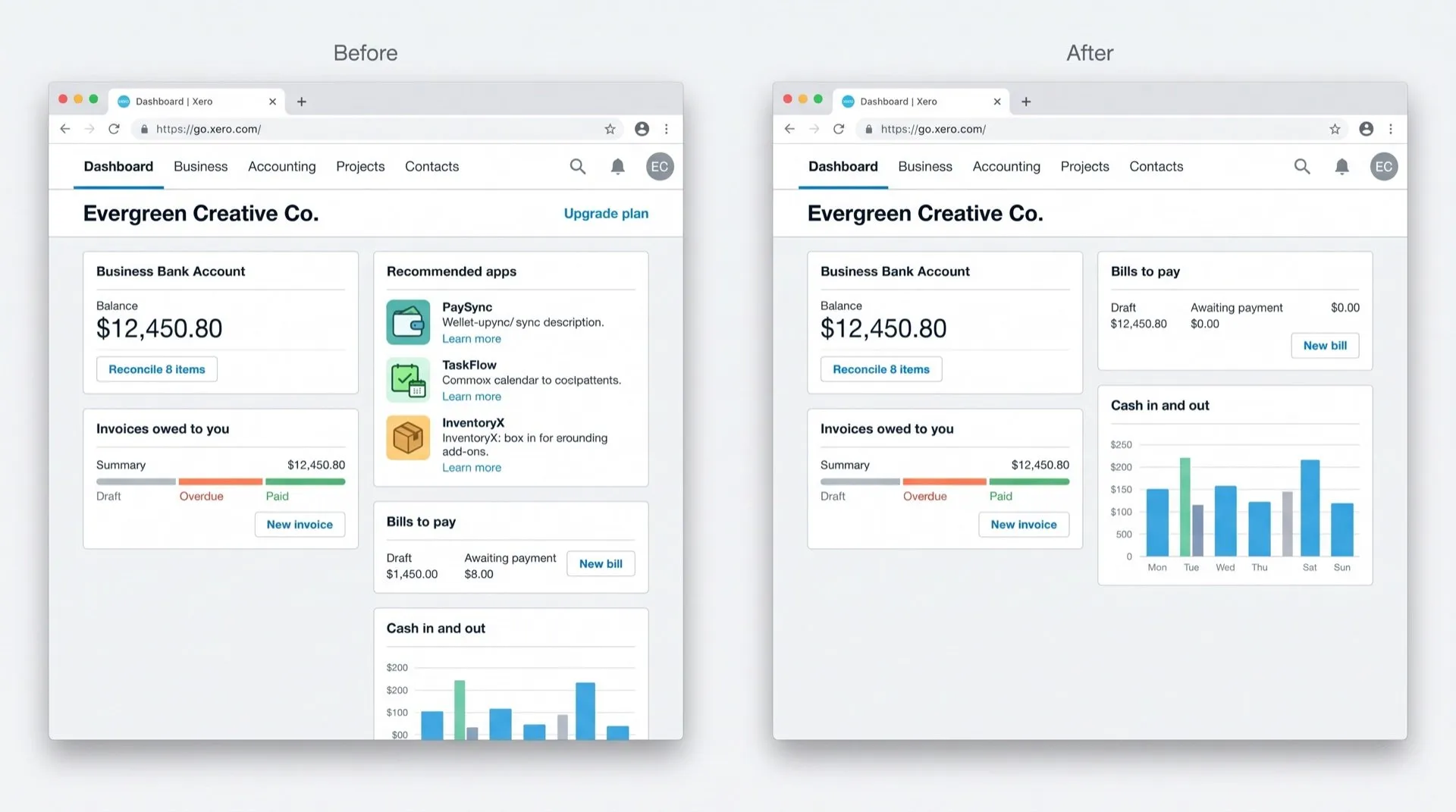
- “Upgrade plan” prompts, buttons and links scattered through the app, often next to features from a higher plan.
- App recommendations, cards on your homepage promoting add-ons from the Xero App Store.
Can you turn it off in Xero?
No. We found no setting, user role or admin option that hides upgrade prompts or app promotions.
Xero’s newer homepage does let each user show, hide and reorder widgets, and your layout doesn’t change anyone else’s. That helps with your own widgets, but it doesn’t give you control over promotions.
What you can do:
- Close any promotion that has a close or hide option. Some come back later.
- Use the homepage’s edit option to hide widgets you don’t use.
Hide them with DeclutterMe
DeclutterMe removes the “Upgrade plan” buttons and links scattered through Xero and the cards promoting App Store add-ons on your dashboard. Apps you’ve already connected keep working, and your plan isn’t changed. DeclutterMe never hides failed-payment warnings, tax deadlines, security alerts or outage notices.
Sources
We checked this guide against these pages on October 31, 2026.
Switch it off for good with DeclutterMe
- Hide "Upgrade plan" promptsRemoves the upgrade buttons and links scattered through the app.
- Hide app recommendationsRemoves the cards promoting App Store add-ons on your dashboard.
Free for 1 fix of your choice. Nothing you read or type leaves your browser.
DeclutterMe is our product. We're not affiliated with or endorsed by the companies behind these apps.