How to turn off "Rewrite with AI" on LinkedIn
By the DeclutterMe team · Last checked October 31, 2026
No. LinkedIn has no setting to hide its AI writing buttons. It has been retiring its "Rewrite with AI" post tool, but some Premium members still see AI buttons when writing posts or messages. An extension can hide them.
You start writing a LinkedIn post or a message and a button offers to rewrite it with AI. If you’d rather write in your own words, it’s one more thing in the way.
Where it shows up
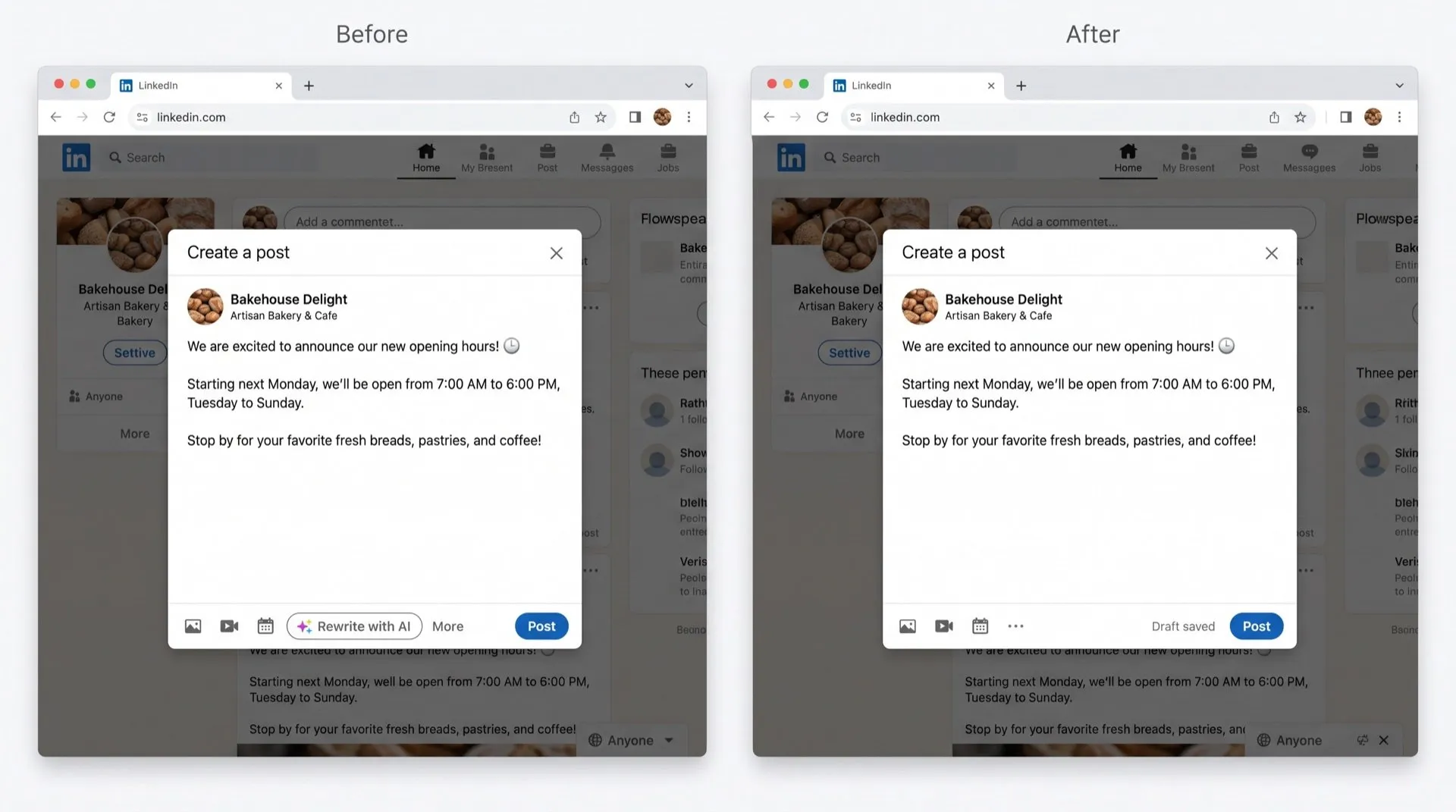
- The post composer, where Premium members were offered Rewrite with AI once they’d typed a few lines.
- The message composer, where select Premium members in the US see Write with AI when starting a new message or InMail.
LinkedIn’s help page for its post writing tool now says it “is not available at this time”. In July 2026 LinkedIn said it would replace the rewriter with a proofreading tool that doesn’t change your voice. What you see depends on your account and when you last updated.
Can you turn it off in LinkedIn?
No. There is no setting to hide AI writing buttons. The setting people often find, Data for Generative AI Improvement, only controls whether LinkedIn may use your data to train its AI. The buttons stay either way.
The AI tools only act when you click them, so you can ignore them. LinkedIn’s help pages describe these writing tools as Premium features, so they go away if you cancel Premium, along with everything else Premium gives you.
Hide the buttons
DeclutterMe removes the AI writing buttons from LinkedIn’s post and message composers. Everything else in the composer works as before.
Sources
We checked this guide against these pages on October 31, 2026.
Switch it off for good with DeclutterMe
- Hide "Rewrite with AI" buttonsRemoves the AI writing buttons from the post and message composers.
Free for 1 fix of your choice. Nothing you read or type leaves your browser.
DeclutterMe is our product. We're not affiliated with or endorsed by the companies behind these apps.