How to hide AI-generated posts on LinkedIn
By the DeclutterMe team · Last checked October 31, 2026
No. LinkedIn has no setting that filters out AI-written posts. You can mark posts one at a time, and LinkedIn has started adding a "Seems like AI slop" report option. An extension can hide posts that show several signs of AI writing together, though no detector is perfect.
You know the posts. A one-line hook, bullet points that each start with an emoji, a dash in every sentence, and a closing question asking what you think. Many people now use AI to help write on LinkedIn, and some feeds are full of posts that all sound the same.
Can you turn it off in LinkedIn?
No. There is no feed setting for AI-written content. LinkedIn asks members to say when they’ve relied heavily on AI, but it doesn’t label or filter text posts for you.
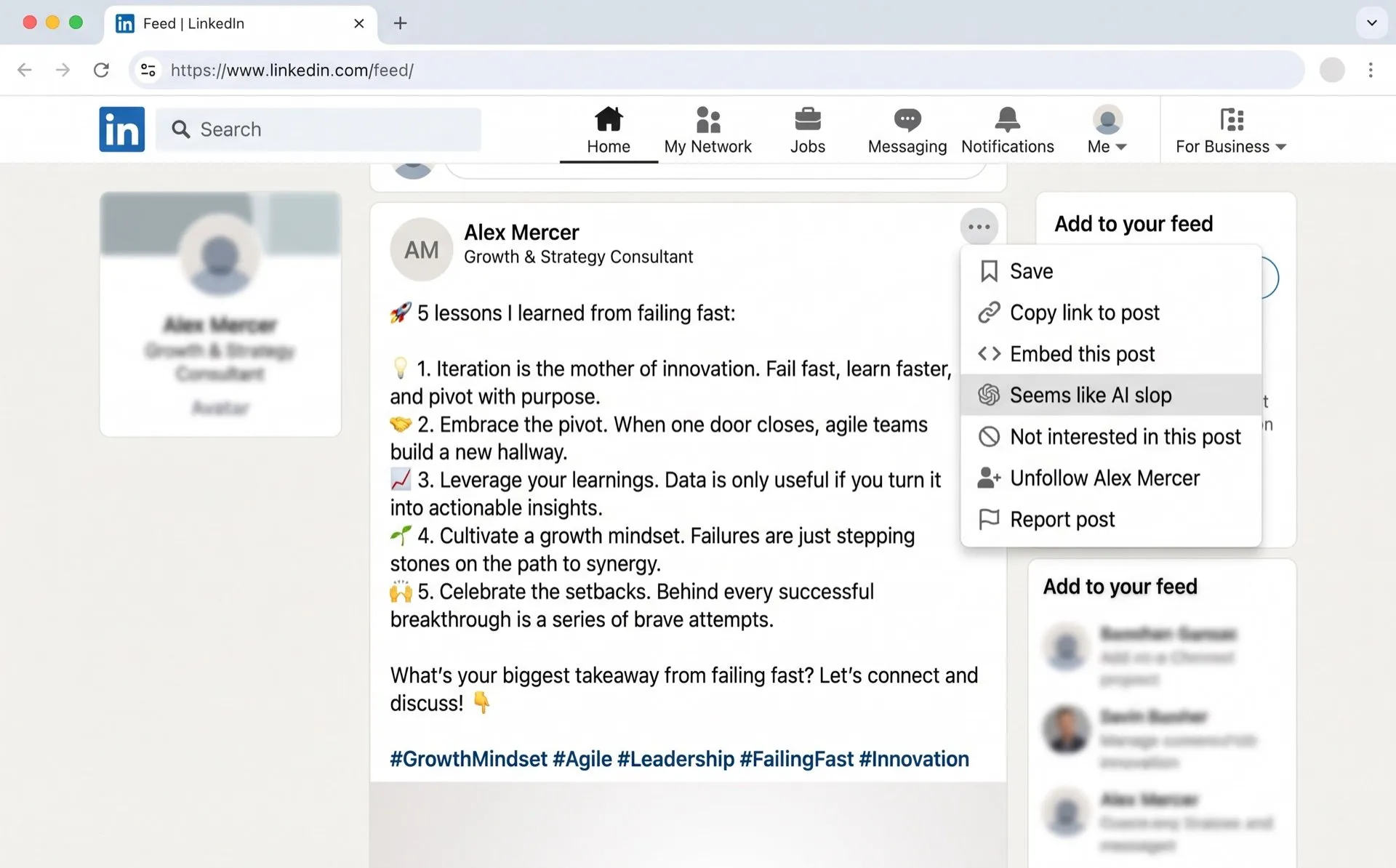
In July 2026 LinkedIn began adding a Seems like AI slop option to the post menu. We found it hides that post from your feed, and LinkedIn says it will use the reports to train systems that spot low-quality AI content. It may not have reached every account yet.
Hide them one at a time
- Click the More icon (⋯) at the top right of the post.
- Choose Seems like AI slop if you have it, or Not interested.
- That post goes away. Similar posts will keep arriving.
What counts as AI writing
There is no reliable single sign. Plenty of people write with em dashes, use lists, or start a post with a short hook. Some use AI only to fix their grammar. As LinkedIn’s product chief put it, AI and slop are not the same thing.
That’s why a sensible filter looks for several signs at once, not one. Even then, no detector is perfect. Some human posts will look like AI, and some AI posts will read as human.
Hide posts with several signs of AI
DeclutterMe hides posts that show several tell-tale signs of AI writing together, such as heavy em dash use, stock phrases and emoji bullet lists. A post with just an em dash stays. If it hides something you wanted to read, you can turn the fix off at any time.
Sources
We checked this guide against these pages on October 31, 2026.
Switch it off for good with DeclutterMe
- Hide AI-written postsHides posts with several tell-tale signs of AI (em-dashes, stock phrases, emoji bullet lists). Not just any post with an em-dash.
Free for 1 fix of your choice. Nothing you read or type leaves your browser.
DeclutterMe is our product. We're not affiliated with or endorsed by the companies behind these apps.