How to hide puzzles and LinkedIn News from your LinkedIn feed
By the DeclutterMe team · Last checked October 31, 2026
No. LinkedIn lets you turn off game notifications and hide your game results from others. There's no setting to remove the games card or the LinkedIn News panel from your homepage. An extension can hide both.
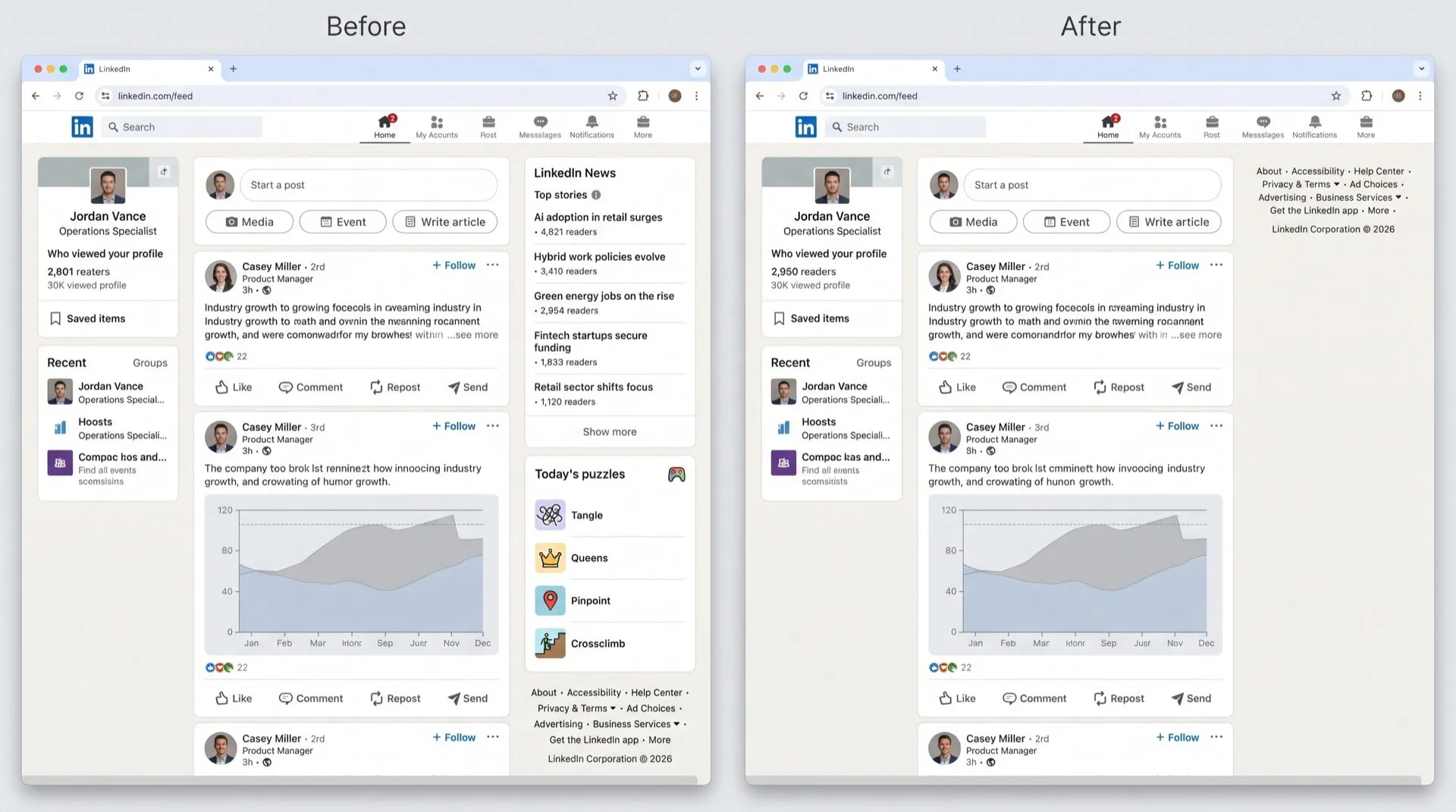
The right side of your LinkedIn homepage has turned into a newsstand with a puzzle page. There’s a LinkedIn News panel of top stories, and a games card inviting you to play Zip, Queens, Mini Sudoku and the rest.
Where they show up
- LinkedIn News: a panel of top stories in the sidebar next to your feed.
- Games: a card in the same sidebar on desktop, linking to the daily puzzles. LinkedIn also mentions games in notifications.
Can you turn them off in LinkedIn?
No. LinkedIn’s help pages explain where games appear and offer two related settings, but neither removes the card:
- Game notifications. You can choose whether LinkedIn notifies you about games.
- Game visibility. You can control who sees that you played and your results.
There’s no setting at all for the LinkedIn News panel.
Hide them for good
DeclutterMe removes the games card (Zip, Queens, Mini Sudoku and friends) and the “LinkedIn News / Top stories” card from the feed sidebar. They are separate fixes, so you can keep the news and lose the games, or the other way round.
Sources
We checked this guide against these pages on October 31, 2026.
Switch it off for good with DeclutterMe
- Hide "Today's games"Removes the games card (Zip, Queens, Mini Sudoku and friends) from the feed sidebar.
- Hide LinkedIn NewsRemoves the "LinkedIn News / Top stories" card from the feed sidebar.
Free for 1 fix of your choice. Nothing you read or type leaves your browser.
DeclutterMe is our product. We're not affiliated with or endorsed by the companies behind these apps.