How to remove "Draft with Copilot" from new Word documents
By the DeclutterMe team · Last checked October 31, 2026
Partly. In desktop Word for Windows you can clear "Enable Copilot" in File > Options, which removes the prompt along with the rest of Copilot. Word for the web has no setting for it, so in the browser a browser extension is the way to skip the box.
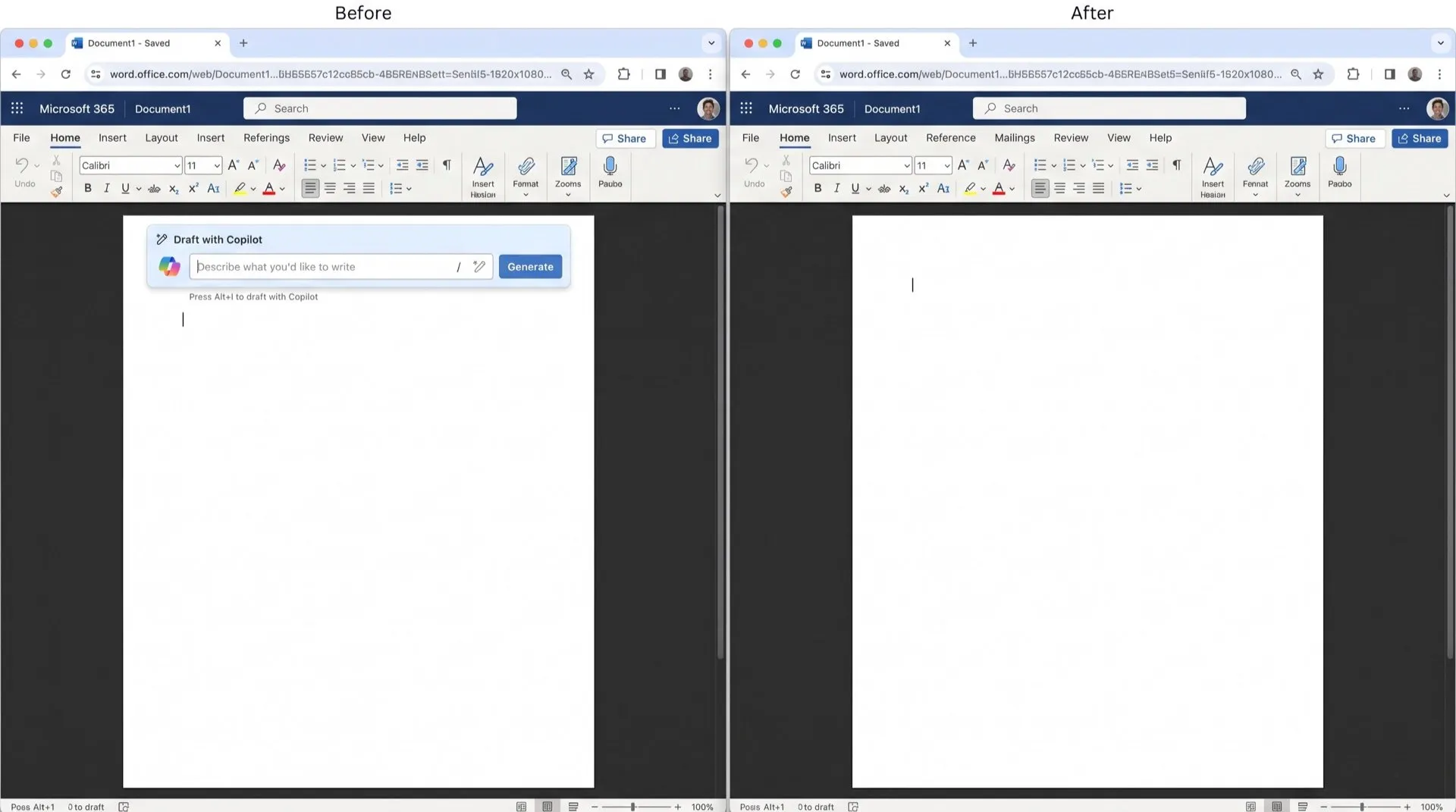
You open a new blank document to start typing, and a Copilot box gets there first, asking you to describe what you want to write. If you already know what you want to write, it’s one more thing to close before you can begin.
Where it shows up
The “Draft with Copilot” box appears at the top of every new blank document in Word. In some versions it’s a large prompt box. In others it’s a line that says to select the Copilot icon or press Alt+I to draft with Copilot.
Can you turn it off in Word?
Only in the desktop app, and only by turning off Copilot as a whole.
In Word for Windows (version 2412 or later), signed in with a personal Microsoft account:
- Go to File > Options.
- Select Copilot.
- Clear Enable Copilot and click OK.
- Close and reopen Word.
On a Mac, the checkbox is under Word > Preferences > Authoring and Proofing Tools > Copilot.
What this doesn’t fix
- There’s no setting that removes only the draft box and keeps the rest of Copilot.
- Microsoft says Copilot can’t be turned off in Word for the web, so the box still appears in your browser.
- The checkbox isn’t available with a work or school account. Your IT admin manages Copilot there.
- Starting from a template instead of a blank document, or typing a character straight away, avoids the box. Neither stops it.
Skip the box on every new document
DeclutterMe removes the Copilot prompt box that opens on every new blank document, so you land on an empty page and can start typing. It doesn’t change anything else in Word, and you can switch it back on from the extension at any time. To also hide the Copilot buttons on the ribbon, turn on Hide Copilot buttons as well.
Sources
We checked this guide against these pages on October 31, 2026.
Switch it off for good with DeclutterMe
- Hide "Draft with Copilot" on new documentsRemoves the Copilot prompt box that opens on every new blank document.
Free for 1 fix of your choice. Nothing you read or type leaves your browser.
DeclutterMe is our product. We're not affiliated with or endorsed by the companies behind these apps.