How to hide the Upgrade button in Jira and Confluence
By the DeclutterMe team · Last checked October 31, 2026
Partly. You can dismiss some prompts one at a time, and site admins can ask Atlassian support to opt the site out of some promotions. No self-service setting removes the Upgrade button for everyone. An extension can hide it, and the "Try" suggestions, on every page.
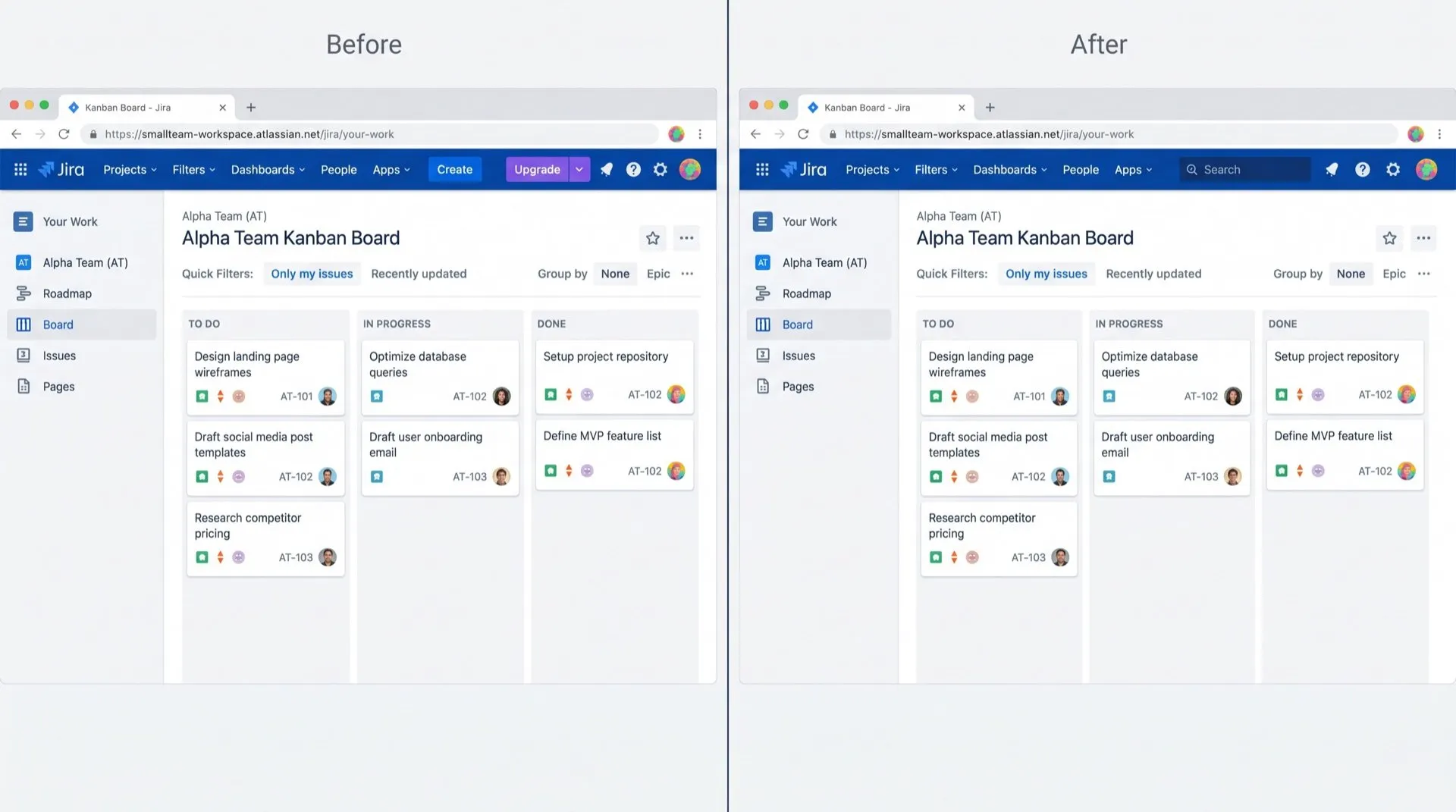
You open Jira to update a ticket and the first thing in the top bar is a purple Upgrade button. The sidebar adds its own suggestions, marked Try, for features and apps you never asked for.
Where it shows up
- Upgrade button in the top bar of Jira and Confluence, with a small menu beside it.
- “Try” suggestions in the sidebar, such as “Create a roadmap” or Jira Product Discovery, often grouped under a “Recommended” heading.
- Upgrade offers in the profile menu. Atlassian notes these can appear for one app, such as Jira Service Management on the Free plan. That can happen even when Jira itself is already on Standard.
Can you turn it off in Jira or Confluence?
Not with a setting. Older guides point to a “Turn off product recommendations” link in Jira’s settings, but we found it never covered every product.
What you can do:
- Open the small menu next to the Upgrade button and choose Dismiss. This applies to you, and Atlassian doesn’t say how long it lasts.
- On a “Try” suggestion, look for a Not interested option. Where it exists, it hides that one suggestion.
- If you’re a site admin, open a support request with Atlassian and ask to opt out of promotional messages. This can opt admins out of several promotional surfaces, but not always everything.
None of this stops new suggestions from appearing later, and the support route is up to Atlassian.
Hide them on every page
DeclutterMe removes the purple Upgrade button and its little menu from the top bar of Jira and Confluence. It also removes sidebar suggestions with a “Try” badge, such as “Create a roadmap” or Jira Product Discovery. Your admins’ announcements and outage notices always stay visible.
Sources
We checked this guide against these pages on October 31, 2026.
Switch it off for good with DeclutterMe
- Hide the "Upgrade" buttonRemoves the purple Upgrade button (and its little menu) from the top bar of Jira and Confluence.
- Hide "Try" app suggestionsRemoves sidebar suggestions with a "Try" badge, such as "Create a roadmap" or Jira Product Discovery.
Free for 1 fix of your choice. Nothing you read or type leaves your browser.
DeclutterMe is our product. We're not affiliated with or endorsed by the companies behind these apps.