How to remove Gemini from Gmail
By the DeclutterMe team · Last checked October 31, 2026
Partly. Turning off "Smart features in Google Workspace" in Gmail settings switches off Gemini, but it also stops other features, such as flight bookings appearing in Calendar and personalised search in Drive, and the Gemini button may still be shown. To lose only the Gemini buttons and pop-ups, hide them with a browser extension.
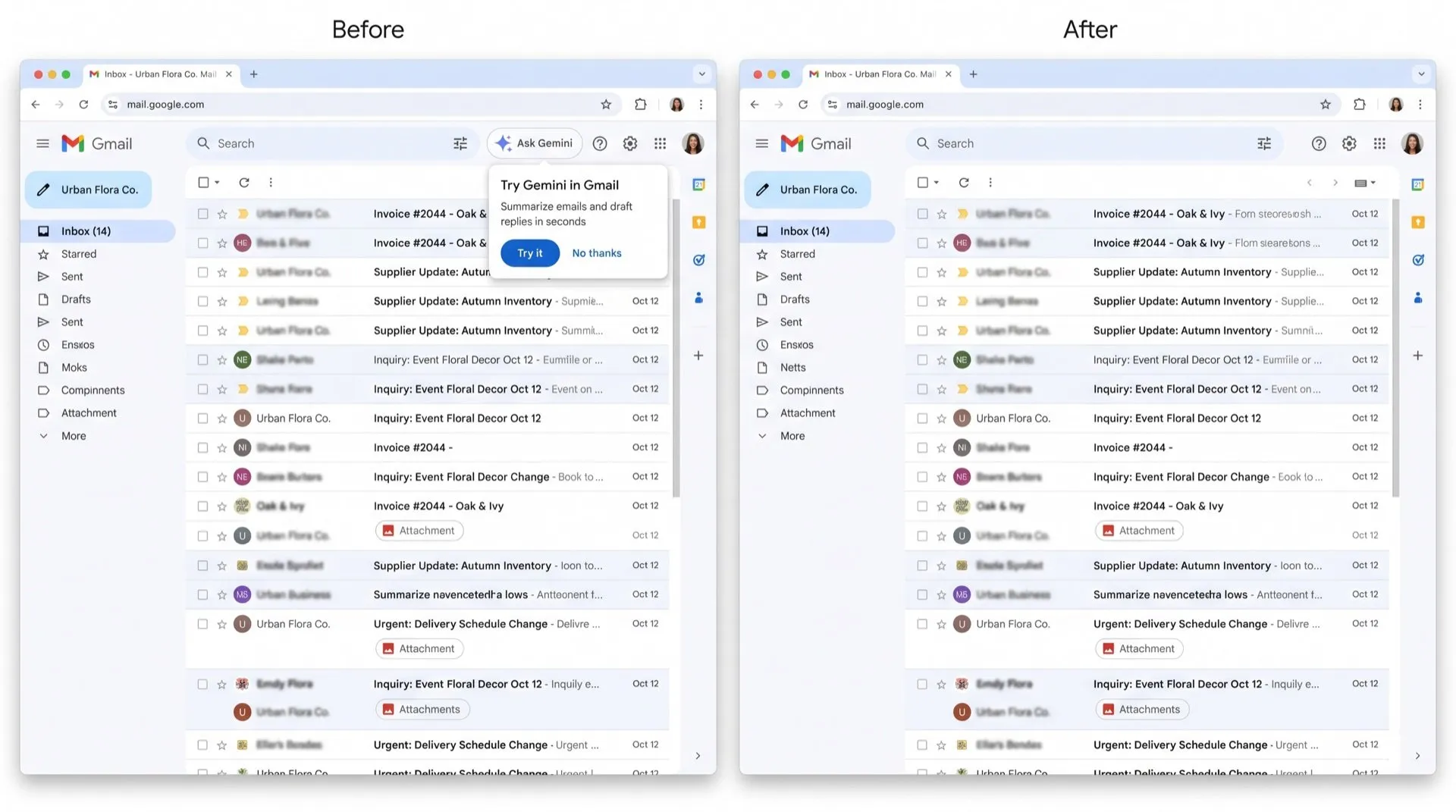
Gemini now has a button at the top of Gmail and suggests itself in pop-ups. If you don’t use it, it’s one more thing between you and your inbox.
Where Gemini shows up
- The Ask Gemini button at the top right of Gmail, which opens a side panel.
- Promo pop-ups inviting you to try Gemini to summarise or write emails.
Can you turn it off in Gmail?
Partly. Gmail’s setting for this is all or nothing, and it reaches beyond Gmail.
- In Gmail, click the gear icon, then See all settings.
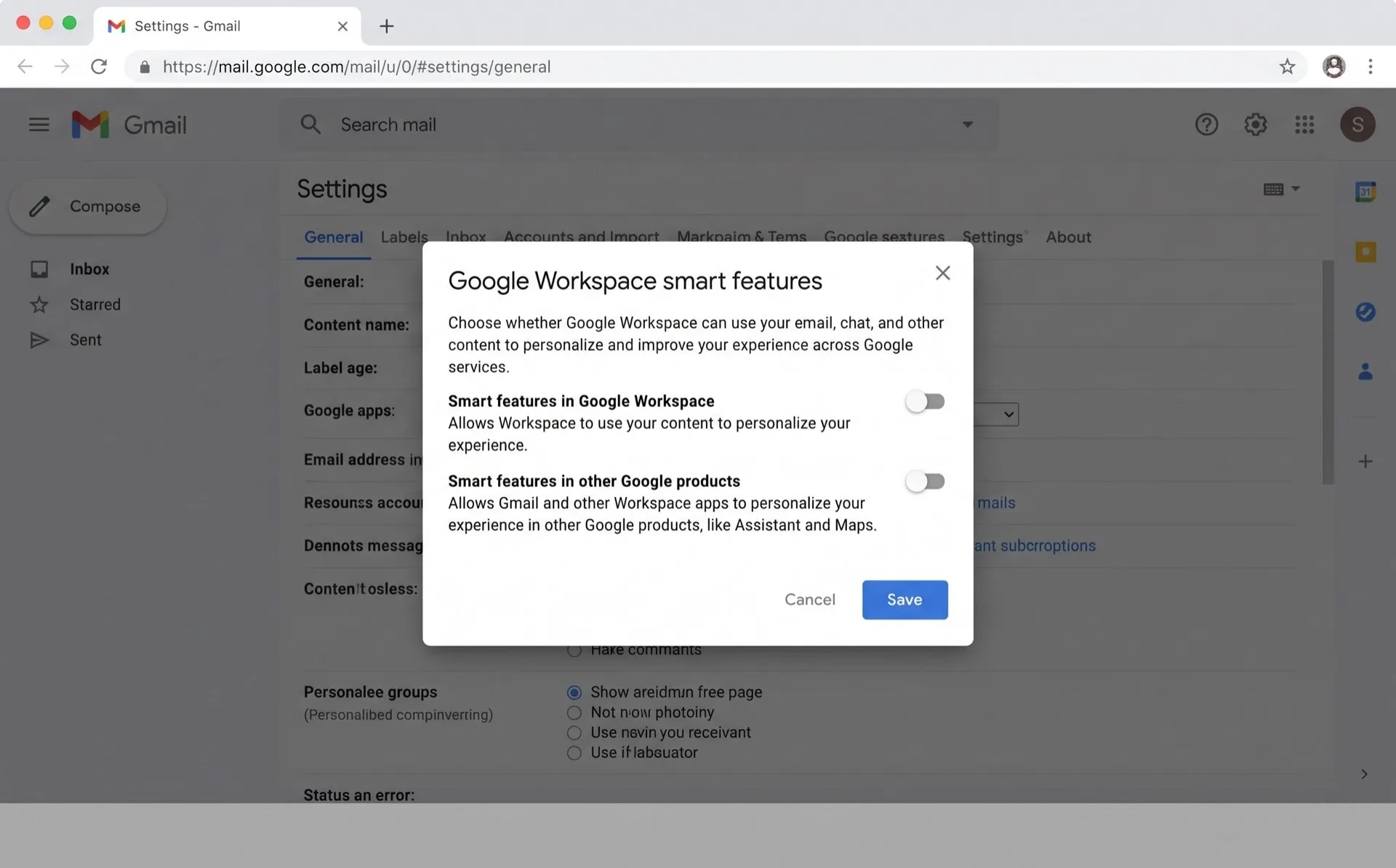
- On the General tab, scroll to Google Workspace smart features.
- Click Manage Workspace smart feature settings.
- Turn off Smart features in Google Workspace and click Save.
What else it turns off
Google says this switch controls Gemini features that summarise content, create drafts and find information. It also turns off:
- Events from Gmail showing up in Google Calendar, such as flight bookings.
- Personalised search results in Google Drive.
- Personalised recommendations across Workspace.
It applies to Docs, Drive and other Workspace apps too, not just Gmail.
What it doesn’t do
- We found the Gemini button can stay visible. Clicking it asks you to turn smart features back on.
- A separate checkbox on the same page, Turn on smart features in Gmail, Chat, and Meet, controls other features. These include inbox tabs, Smart Compose, Smart Reply and summary cards. You don’t need to change it to turn off Gemini.
- If you live in the European Economic Area, the UK, Switzerland or Japan, these settings start switched off.
For work accounts
A Google Workspace admin can turn Gemini off for Gmail in the Admin console under Generative AI > Gemini for Workspace > Feature access. This control is only available on some editions, such as Enterprise Standard and Enterprise Plus.
Hide only the Gemini buttons
DeclutterMe removes the Ask Gemini button, closes the Gemini side panel when Gmail reopens it, and closes Gemini promo pop-ups. It leaves every other Gmail feature as it was. Calendar events, Drive search and your inbox tabs keep working. Switch it back on any time from the extension.
Sources
We checked this guide against these pages on October 31, 2026.
Switch it off for good with DeclutterMe
- Hide Gemini promptsRemoves the "Ask Gemini" button, closes the Gemini side panel and closes Gemini promo popups.
Free for 1 fix of your choice. Nothing you read or type leaves your browser.
DeclutterMe is our product. We're not affiliated with or endorsed by the companies behind these apps.