How to hide sponsored emails in Gmail
By the DeclutterMe team · Last checked October 31, 2026
Partly. Gmail has no setting that turns ads off. Its ads appear in the Promotions and Social tabs, so hiding those tabs removes the ads too, but then that mail lands in your main inbox. A browser extension can hide just the ads and keep your tabs.
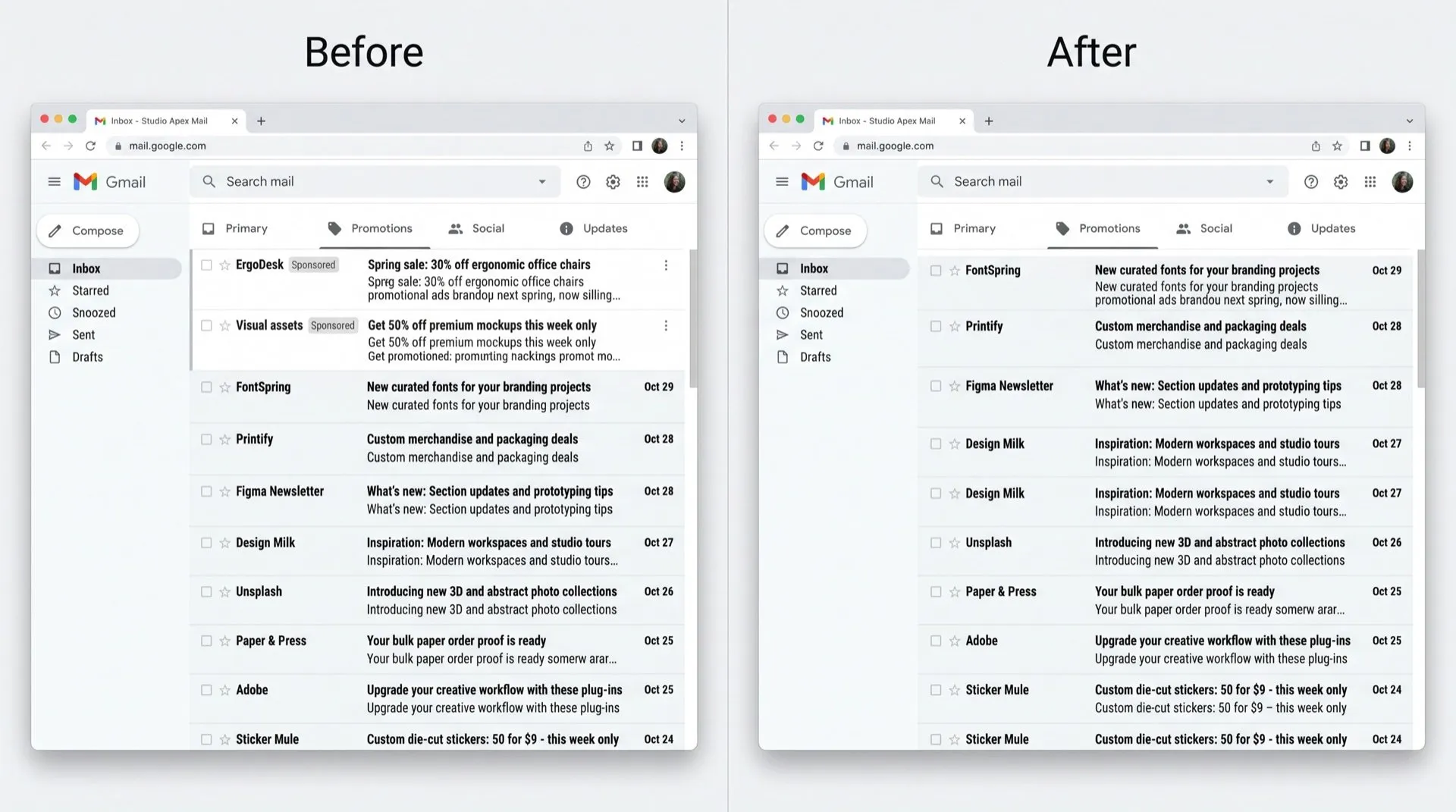
At the top of your Promotions and Social tabs, a couple of rows look like emails but aren’t. They’re ads, marked with a small “Sponsored” or “Ad” label, and they sit exactly where you’d expect your newest mail to be.
Where the ads show up
Gmail shows these ads at the top of the Promotions and Social tabs on the web and in the app. They aren’t in your Primary inbox.
Can you turn them off in Gmail?
Not directly. Google’s help page explains how Gmail picks ads, and the only control it offers is turning off Ads Personalization in your Google ad settings. That changes which ads you see, not whether you see them.
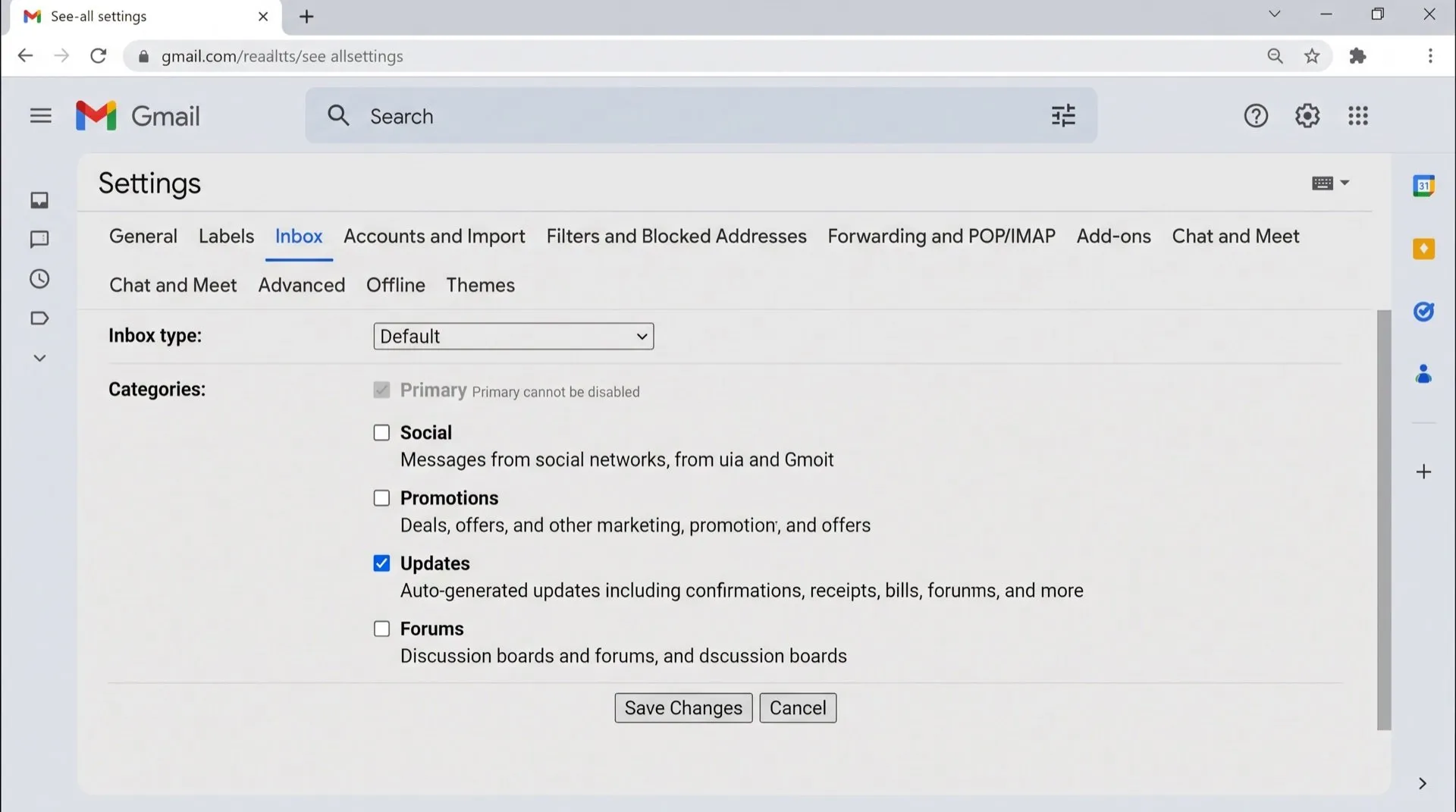
Because the ads live in the Promotions and Social tabs, hiding those tabs removes them:
- In Gmail, click the gear icon, then See all settings.
- Open the Inbox tab.
- Under Categories, untick Promotions and Social.
- Click Save changes.
What this costs you
- Promotional emails and social notifications no longer get their own tabs. They land in your Primary inbox with everything else.
- The change applies to the Gmail app on your phone too.
- If you later turn the tabs back on, the ads come back with them.
Turning off Ads Personalization keeps ads in place. They’re just based on less of your data.
Hide the ads and keep your tabs
DeclutterMe removes the ads that look like emails at the top of Promotions and Social. Your tabs, your sorting and every real email stay where they are. Switch it back on any time from the extension.
Sources
We checked this guide against these pages on October 31, 2026.
Switch it off for good with DeclutterMe
- Hide sponsored emailsRemoves the ads that look like emails at the top of Promotions and Social.
Free for 1 fix of your choice. Nothing you read or type leaves your browser.
DeclutterMe is our product. We're not affiliated with or endorsed by the companies behind these apps.