How to remove ads from your Outlook.com inbox
By the DeclutterMe team · Last checked October 31, 2026
Only by paying. Microsoft removes Outlook.com ads for Microsoft 365 consumer subscribers on an @outlook.com, @hotmail.com, @live.com or @msn.com address. Free accounts have no setting to turn ads off, so a browser extension is the free way to hide them.
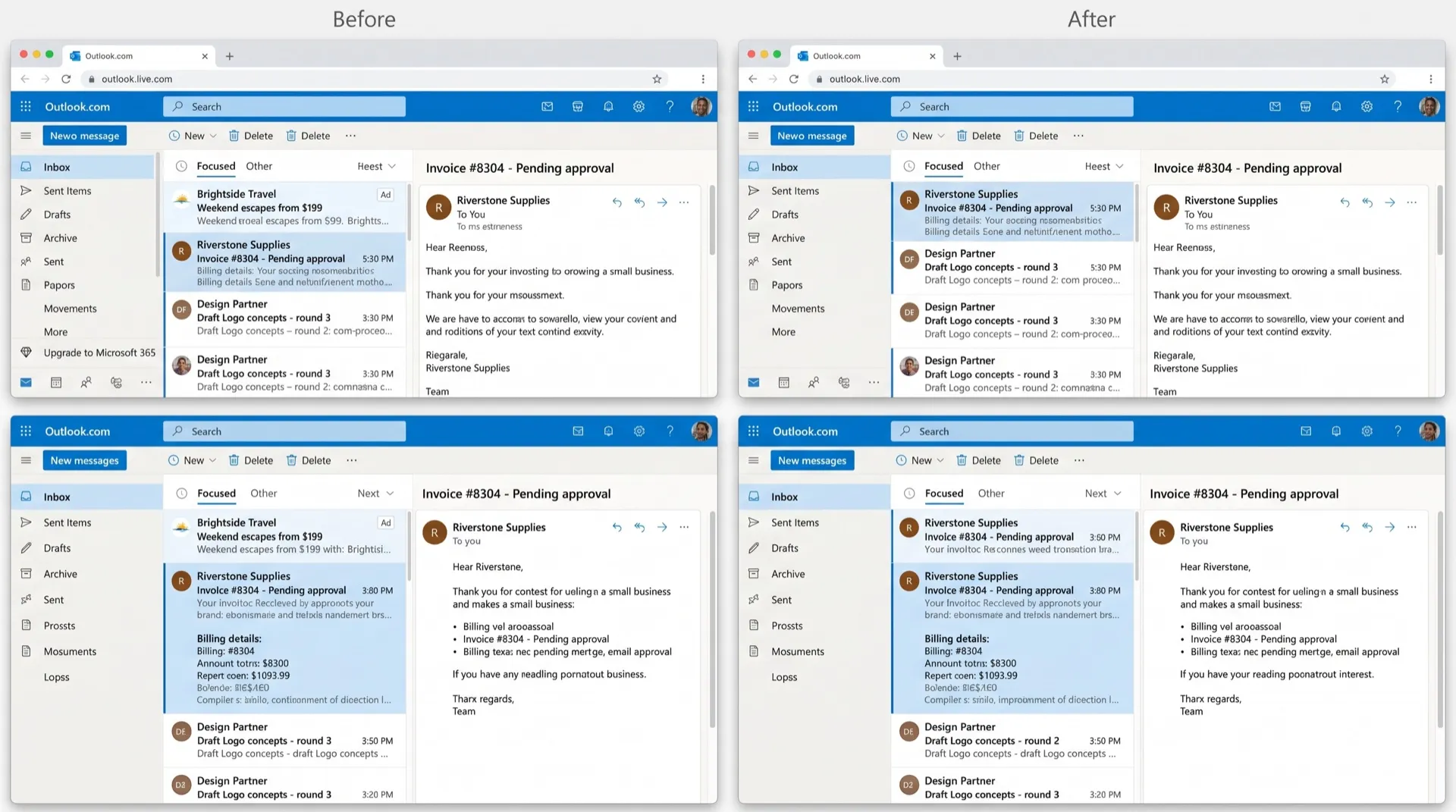
In a free Outlook.com account, some rows at the top of your inbox aren’t emails. They’re ads, styled to look like messages, and it’s easy to click one by mistake while you work through your mail.
Where the ads show up
- Inbox ad rows: sponsored entries mixed in with your messages, marked with a small “Ad” label.
- Upgrade prompts: “Go premium” and “Upgrade to Microsoft 365” buttons around the mailbox.
Can you turn them off in Outlook?
Not with a setting. Microsoft’s own answer is that Outlook.com is free and supported by ads, and that Microsoft 365 subscribers get an ad-free mailbox.
To go ad-free the built-in way:
- Buy a Microsoft 365 consumer plan, such as Personal or Family.
- Make sure the subscription is on the same account as your mailbox, and that the address ends in @outlook.com, @hotmail.com, @live.com or @msn.com.
- The ad-free benefit turns on automatically. On a Family plan it can be shared with up to five other people.
What this doesn’t fix
- Business plans such as Business Standard don’t include this benefit, because it’s for consumer subscriptions only.
- Addresses on other domains don’t qualify, even with a subscription.
- If the subscription ends, the ads come back.
Hide them for free
DeclutterMe removes the ad rows that look like emails in free Outlook accounts, and the “Go premium” and “Upgrade to Microsoft 365” prompts. Your real messages, folders and settings stay exactly as they are. It never hides security alerts, storage-full warnings or outage notices.
Sources
We checked this guide against these pages on October 31, 2026.
Switch it off for good with DeclutterMe
- Hide ads in the inboxRemoves the ad rows that look like emails in free Outlook accounts.
- Hide Microsoft 365 upgrade buttonsRemoves "Go premium" and "Upgrade to Microsoft 365" prompts.
Free for 1 fix of your choice. Nothing you read or type leaves your browser.
DeclutterMe is our product. We're not affiliated with or endorsed by the companies behind these apps.