How to hide "Get more storage" in Google Drive
By the DeclutterMe team · Last checked October 31, 2026
Google Drive has no setting that hides the "Get more storage" offer. It links to Google One plans and stays under your storage meter. A browser extension can remove the offer and leave the meter and any "storage full" warning visible.
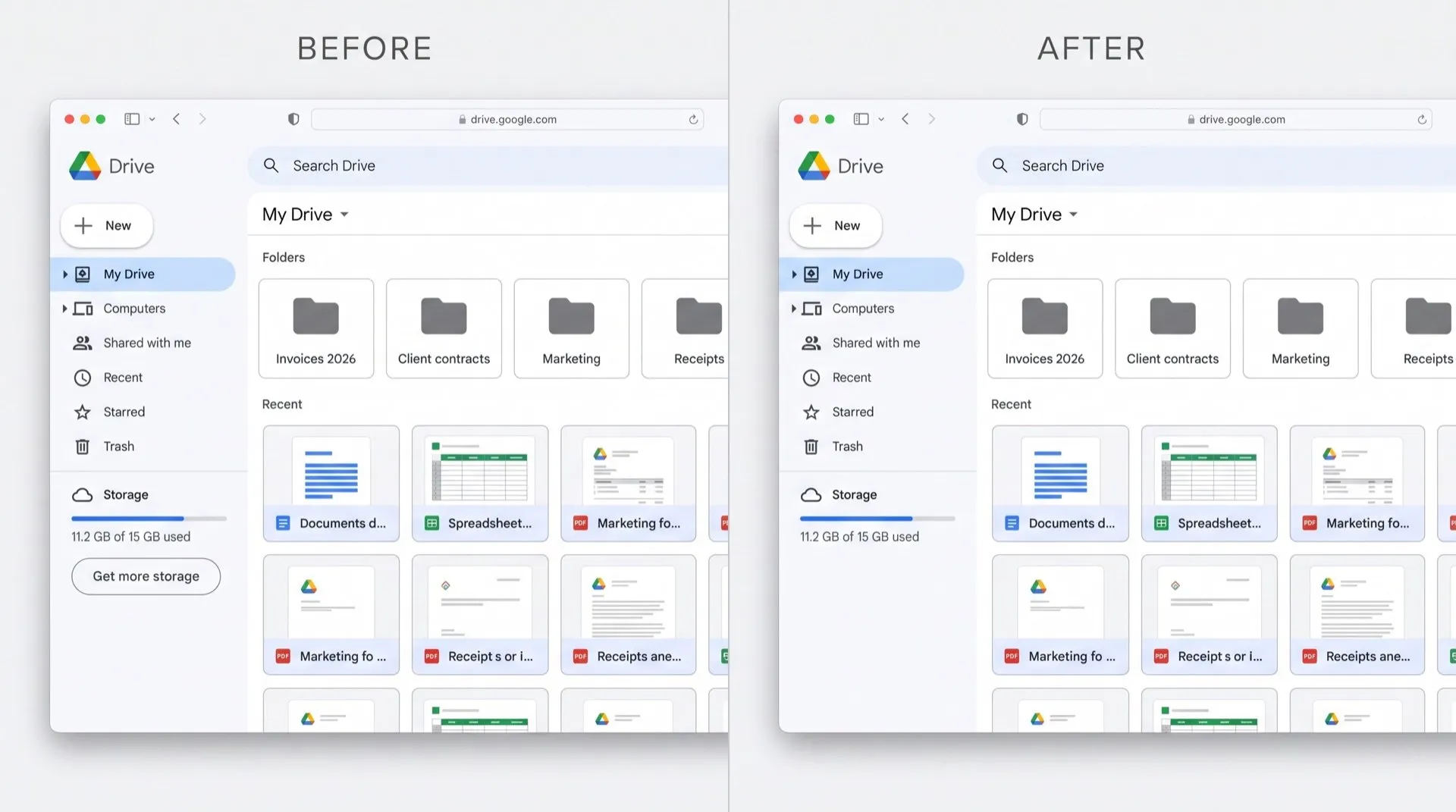
In the left-hand menu of Google Drive, under the bar that shows how much storage you’ve used, there’s a “Get more storage” button. It’s there every time you open Drive, whether you’re at 5% or 95%.
Where it shows up
The button sits directly under the storage meter at the bottom of Drive’s left-hand menu. It opens Google One, where you can buy a bigger storage plan.
Can you turn it off in Google Drive?
No. We found no setting in Drive or in your Google Account that hides the offer. Google’s help pages explain how to buy more storage from Drive, Gmail and Photos, but not how to hide the prompt.
What you can do is keep an eye on the space itself:
- In Drive, click Storage in the left-hand menu to see your files from largest to smallest.
- Delete what you don’t need, and empty the bin.
- Remember that Gmail and Photos share the same 15 GB on a free account.
This keeps you clear of the limit, but the button stays.
Why the storage meter matters
When your storage is full, Drive stops saving new files, Gmail can’t send or receive email, and Photos stops backing up. If you stay over the limit for two years, Google may delete content. The meter is how you see that coming, so it’s worth keeping.
Hide the offer, keep the meter
DeclutterMe removes the Google One storage upsell under the storage meter. The meter itself, and any “storage full” warning, stay visible. DeclutterMe never hides security alerts, storage-full warnings or outage notices.
Sources
We checked this guide against these pages on October 31, 2026.
Switch it off for good with DeclutterMe
- Hide "Get more storage" in DriveRemoves the Google One storage upsell under the storage meter. The meter itself, and any "storage full" warning, stay visible.
Free for 1 fix of your choice. Nothing you read or type leaves your browser.
DeclutterMe is our product. We're not affiliated with or endorsed by the companies behind these apps.