How to turn off "Help me write" in Google Docs
By the DeclutterMe team · Last checked October 31, 2026
We found no setting that turns off only the "Help me write" prompts. Turning off Workspace smart features in Gmail disables Gemini across Docs and Sheets, but takes other features with it. A browser extension can hide the prompts on their own.
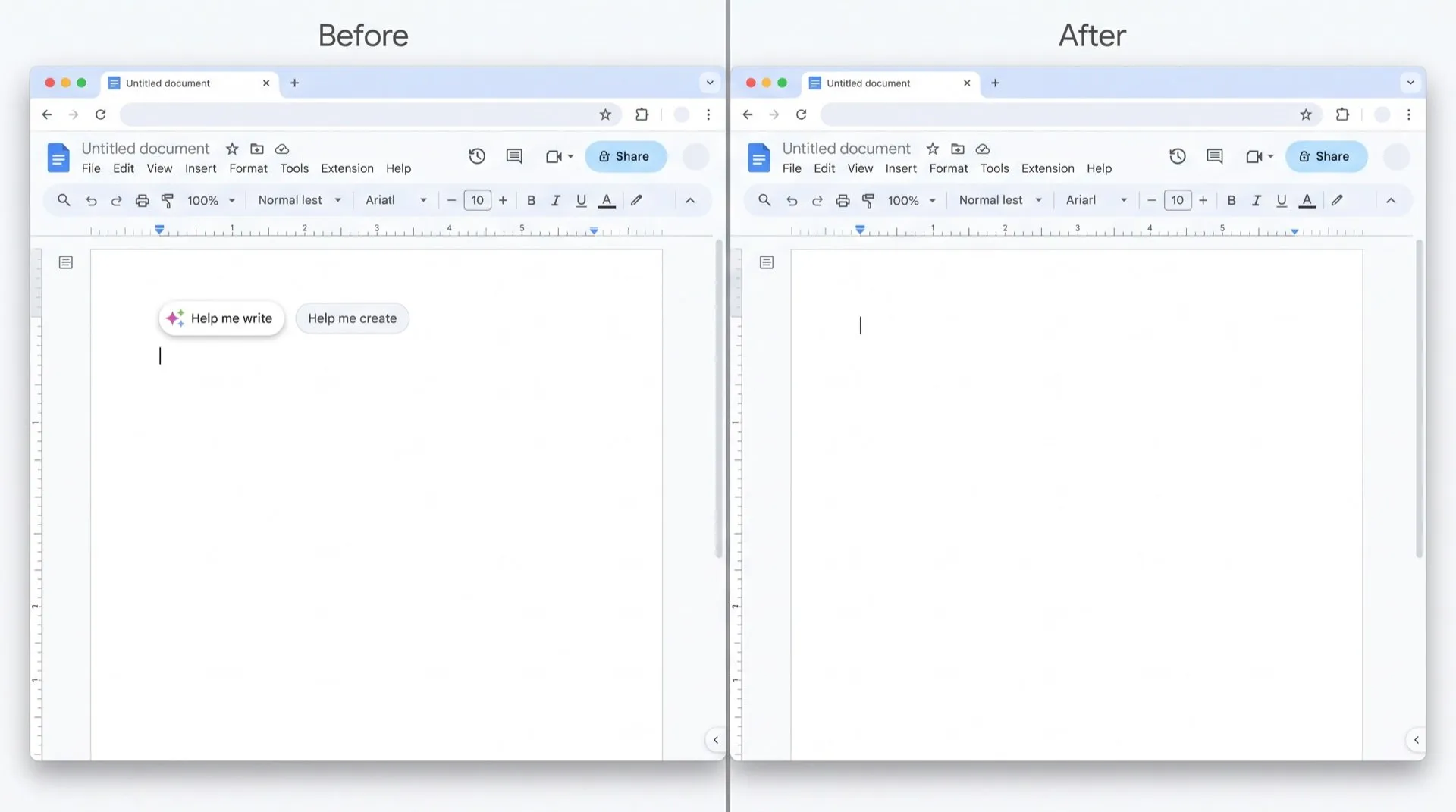
You open a new Google Doc and, before you type a word, a “Help me write” prompt is waiting at the top of the page. New Sheets do the same with “Help me organize”. If you know what you want to write, it’s in the way.
Where the prompts show up
- New documents: “Help me write” and “Help me create” prompts at the top of a blank Doc.
- New spreadsheets: “Help me organize” in a blank Sheet.
- While you type: some people also see a “Help me write” button near the cursor.
Can you turn it off in Google Docs?
Not on its own. We found no setting in Docs or Sheets that turns off just these prompts. You have two broader options.
Turn off Workspace smart features. This switches off Gemini features across Docs, Sheets, Drive and Gmail.
- Open Gmail, click the gear icon, then See all settings.
- On the General tab, scroll to Google Workspace smart features and click Manage Workspace smart feature settings.
- Turn off Smart features in Google Workspace and click Save.
Google says this also stops events from Gmail appearing in Calendar and personalised search in Drive.
Turn off the Docs bottom bar. In Docs, open the Gemini menu and choose bottom bar preferences. From there, turn off the “write with Gemini” bar at the bottom of the page. This removes that bar only, not the prompts at the top of new documents.
For work accounts
A Workspace admin on some editions can turn Gemini off in the Admin console under Generative AI > Gemini for Workspace > Feature access. Docs, Sheets, Slides and Drive are switched together.
Hide just the prompts
DeclutterMe removes the “Help me write”, “Help me create” and “Help me organize” prompts that pop up in new documents and sheets. Your typing, spelling and grammar suggestions and other features are left alone. Switch it back on any time from the extension.
Sources
We checked this guide against these pages on October 31, 2026.
Switch it off for good with DeclutterMe
- Hide "Help me write" promptsRemoves "Help me write", "Help me create" and "Help me organize" prompts that pop up in new documents and sheets.
Free for 1 fix of your choice. Nothing you read or type leaves your browser.
DeclutterMe is our product. We're not affiliated with or endorsed by the companies behind these apps.